Calling GitHub CI from a Wikimedia GitLab repo

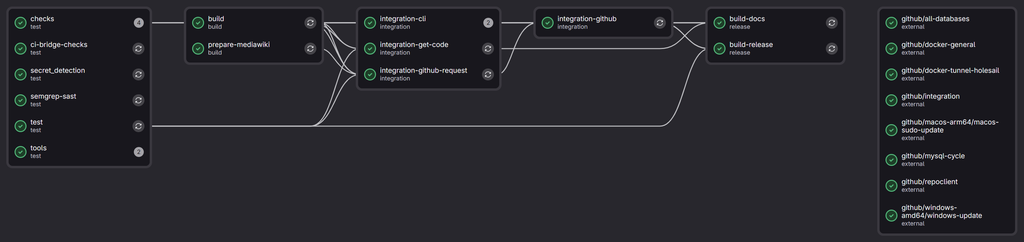
I want to spend some more time developing a-wikimedia-cli (previosuly called mwcli), expanding what it can do, and adding integration tests for more of its functionality along the way. Having tests is useful, but having to wait for them every time you change something makes that slightly less appealing. Especially when your development system seems to be intense bursts of work and branches on the odd evening, or odd weekend, and not much development the rest of the time.

Some of the more involved tests create MediaWiki environments, start databases, install things, turn them off, turn them back on again and check that the CLI has done what it was supposed to. These have been running using Docker-in-Docker (or dind for short) on Wikimedia Cloud VPS machines for some time now, alongside the other checks and builds managed by Wikimedia GitLab. However the are only 2 small workers in the pool for the Docker-in-Docker tests, which are limited to 4 simultaneous jobs due to CPU and RAM constraints. not to mention it’s a waste leaving them on most of the time…

Meanwhile, the project also has a repository on GitHub which is mirrored to from GitLab, where GitHub Actions has machines quite capable of running these tests.

I have thought about moving entirely over to GitHub to solve this problem before, and have spun up forks there with CI before to make sure integration style tests pass before promoting them into branches in GitLab. However I never made a complete move. I have also dabbled with doing cross repo CI before for this setup, however it often ended in a disappointing mess.

However, maybe this time it will work *wink wink*…
Read more

Researching UK train tickets with an AI agent

In my last post, I briefly mentioned spending part of a Sunday getting Bob, my dot, to research train tickets and collect the results in Google Sheets. There was quite a bit hidden in that sentence, time to unpack it a little, and think about how much better train ticket purchases could be if you actually want to optimize for something specific.

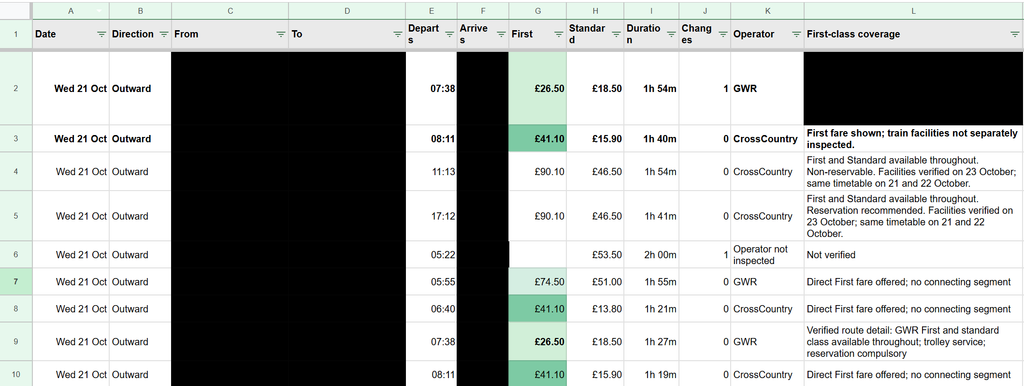
I had two trips to work out, some flexibility over when to travel, and an interest in reasonably priced First Class tickets (which I often see pop up, but no idea when to really expect them). I do these trips multiple times a month often on regular class tickets, and have been for the past few years, and often end up with all sorts of ticket purchases, advanced ones on the cheap, off peak returns, and many purchased last minute. I wanted to see the options without running slightly different versions of the same search myself, then trying to remember which one had produced the useful fare, over multiple days, multiple possible destination stations etc.

I’m expecting after writing this, someone might come and tell me about the perfect UK train ticket purchase and comparison website, but to my knowledge it doesn’t yet exist?

I ended up with hundreds of recorded comparisons of individual ticket prices, and four preferred direct trains costing on average £42.90 each (all for first class tickets), totaling £171 (Or £157 with split tickets). The off peak return price for these journeys would be £102.80, so only around £70 (or £50) more for 4 first class trains, which hopefully will mean that I actually get a seat on all of these trains, vs my last trip on Friday where I didn’t even get on the train as it was full…

The loose brief

The starting point was fairly ordinary. Two trips, approximate dates, one adult and no Railcard. There were three destination stations that would work for me, so fixing the search to one station would have thrown away useful options before we had even started.

Read more

I’m here to ramble (about AI ‘n stuff): a look at the last few months

The last post about AI that I wrote was about GitHub Copilot moving to AI credits, rather than their prior model of something akin to per prompt billing. That was in May, and to be honest, through June, July and August, not much seemed to change for me in the landscape for my productive working hours. (Various things changed and happened in my periphery that I might be able to explore in my personal time).

However September and October really saw another wave of changes that actually lead to impact during my working hours. From the new wave of GPT 6 6.1 models, to the OpenAI dots, and our increasing internal usage of Notion AI for our new internal knowledge base and task tracking, I’m seeing myself rambling on to various LLMs day in day out, and leaving more and more for them to do in the background, vs following along closely with for all of the steps (being an avid GitHub Copilot user before this).

The tides have turned, and I primarily use Codex these days as part of VsCode. With Copilot, the only model that I seem to be able to gel with well and make productive for my usage right now is GPT 5.6 Terra, auto always selects something that seems to take too much time, or perform poorly, meanwhile Codex seems to generally just get shit done, without needing so much human interaction. I imagine I’ll continue using GitHub Copilot for more hand holdy type tasks, and also for “code review” and some basic coding tasks within GitHub Copilot Cloud.

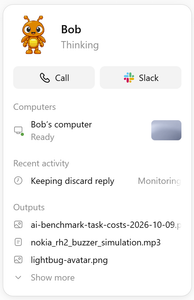
Where the “power” is really coming from in my working day now is having an AI accessible and curatable knowledge base and task tracking system, IDE integration, and consistent chat and context experiences across devices. Along with my first dot, called Bob…

Bob (the Dot)

An OpenAI dot is an always-on, autonomous AI agent inside ChatGPT powered by GPT-6 Astra. I have no doubt that some folks home hosted LLM setups come close to this sort of thing (only with arguably less effective and likely slower models), however for a working setup having this as an off the shelf product is mighty powerful.

Read more

Overlap Atlas (Android timeline overlaps)

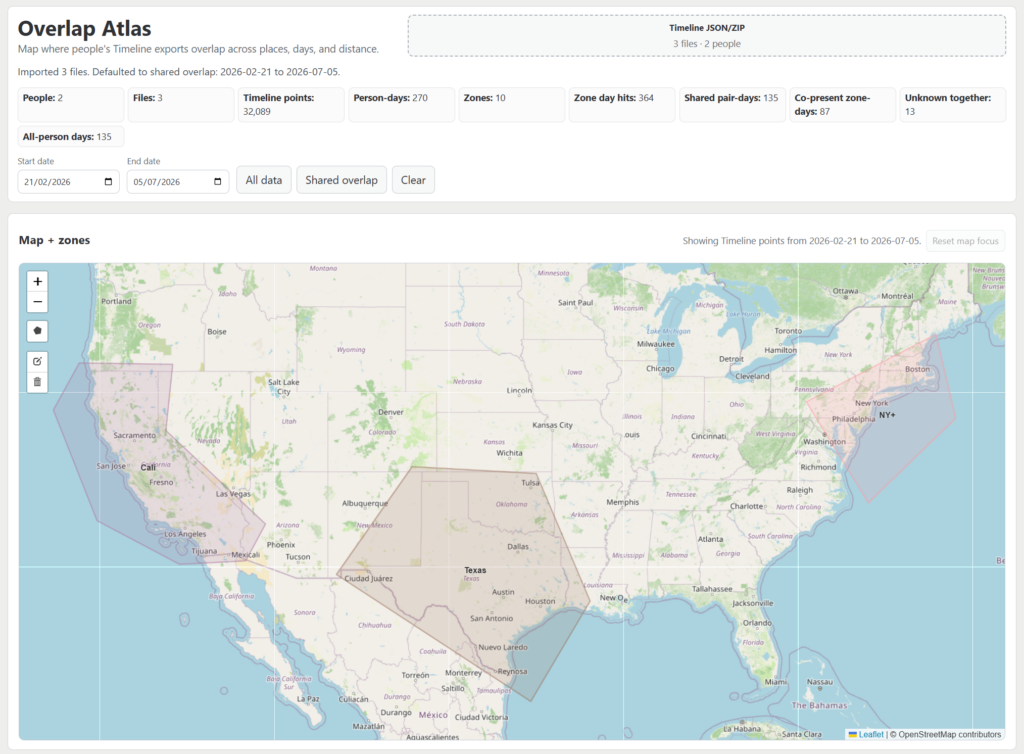
Introducing Overlap Atlas! Very similar to another little web app that I made a few weeks ago, making use of Android timeline data and Spotify data, I now have another little web app for visualizing overlaps of 2 peoples timeline data (or lack of overlaps).

You can load one or more Google Timeline exports into the app and assign them to specific people. Just like the last project, your uploaded data stays securely in your browser. Once your files are loaded, you can draw geofences to outline areas to look at and split out.

From there, you get multiple visualizations for where people have been, and when and where overlaps happen:

Read more

Eero Pro 6 teardown

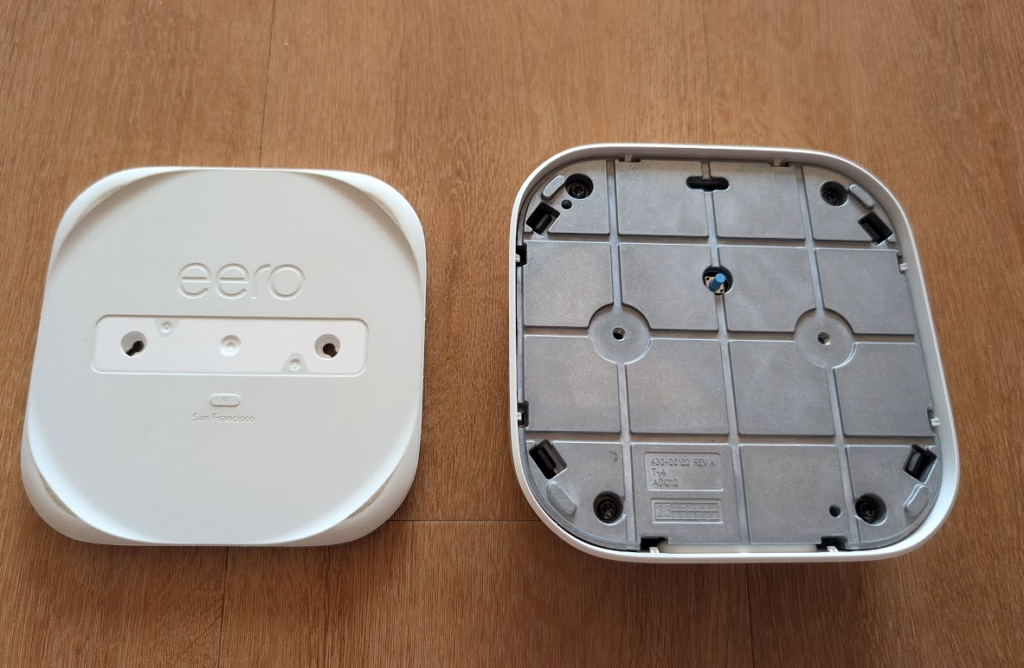
I bought a set of 3 eero Pro 6 mesh (Wi-Fi 6) routers back at the end of 2023, and the first one of them died in the last few weeks. Trying to power the device via USBC no longer does anything, and eero support didn’t have much to try other than the reset button and a new power adapter. So I figured I would take it apart and have a look inside just incase it was something super obvious (it was not). So here is a little overview of what’s inside an Eero Pro 6, and how to get in!

Teardown

Before starting, I found this Reddit post which shown an image of a screw on a different eero device, hidden under the label, and that was the same on the eero Pro 6, except the label revealed 2 screws.

These were 2x size 20 torx bits, and were very easy to undo, and with a little prying around the edge with a plastic pry tool, I managed to pop the bottom plate off.

This bottom plate revealed the real button, but also 4 black plastic clips, and 4 more torx screws, this time size 15.

Read more

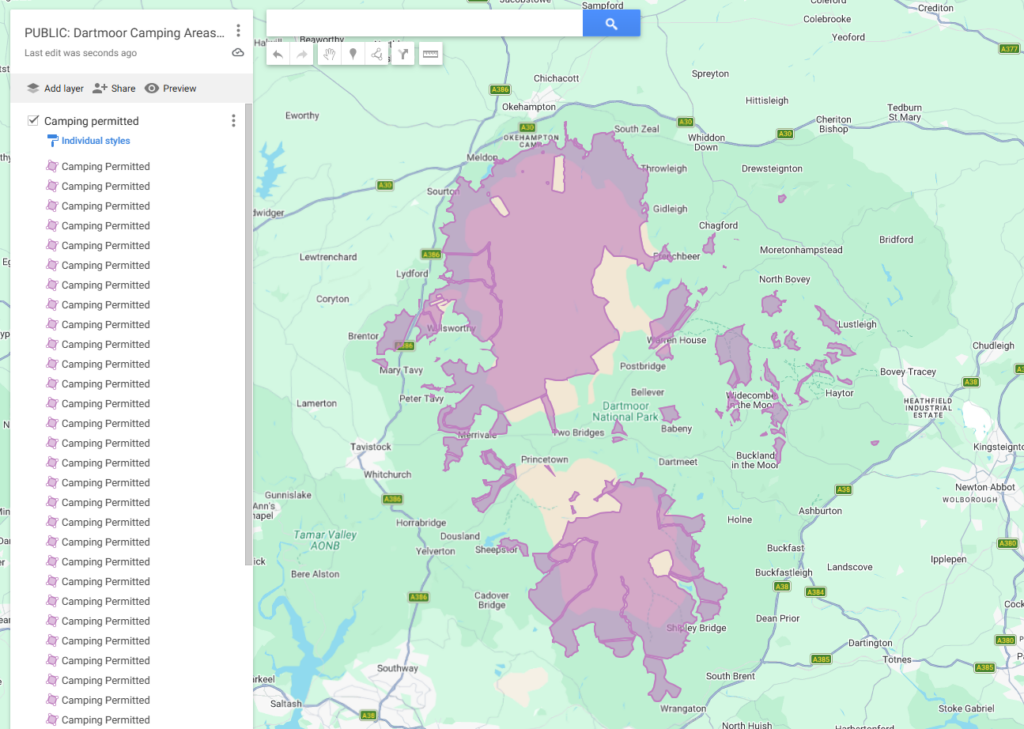
Dartmoor camping related map data (UK)

I’m about to head camping on Dartmoor, and wanted to go prepped with some of the various map related data that I will need. Basically, where to camp, and where not to camp…

Searching around I managed to find this basic set of infomation

And from that went and found some slightly more structured mapping information about the area

The camping locations KML can be downloads and used however you want. For convenience I have re uploaded the current file to this Google Maps map.

The OpenStreetMap data can also be extracted and converts to KML, and uploaded to Google maps, which I have done so for the current versions on this Google Maps map.

Read more

Wikidata deletion request trends (RFDs)

Wikidata is a free and open knowledge base that anyone can edit. It is a sister project of Wikipedia and serves as a central repository for structured data, so rather than paving pages with text, it stores data in a structured format that can be queried and reused across different platforms.

One of the key features of Wikidata is its ability to handle deletion requests, which are known as RFDs (Requests for Deletion), a similar process happens on Wikipedia. These requests allow users to propose the removal of items from the database that are deemed unnecessary, incorrect, or otherwise unsuitable for inclusion.

I was recently asked if there was currently any “tracking of the amount of deletion requests on WD over time”, with a specific focus on promotional editing, number of requests, and administrator burden. I was not aware of any such tracking, so I decided to investigate the data and see what insights could be gleaned from it, and possibly help out with whatever then end up happening as part of T429036 [Analytics] [Request] Baseline data for Item deletions which looks like it will happen soon.

Approach

All of the requests for deletion go via the RFD page on Wikidata. This page is treated as a talk page, with each section being a request for deletion. Each section has a title, which is the item, or items being requested for deletion, and a body, which contains the reason and any discussion around the request. The page is often maintained by bots in terms of marking when deletions occur, and when requests are closed, so the page is a good source of data for analysis. And like many other talk pages, it is also archived, with older requests being moved to archive pages. The main RFD page has been around for a while, and the archive pages go back to 2012.

Data Gathering

I’m trying out marimo for my data gathering things time, when I would normally use a standard IPython notebook. It’s self described as “a next generation Python notebook”.

Read more

Where Do I Spotify?

I’ve been a Spotify user for a long time, and like a lot of people I have Google Timeline enabled on my phone, quietly logging where I’ve been over the years. And at some point earlier this year I downloaded my Spotify listen data, and it occurred to me that Spotify plays + location information could be an interesting thing to look at… Do I listen to the same stuff at work as I do at home? What about when I’m in other countries? The hypothesis was that my listening habits might vary quite a bit by location, and I wanted a way to actually see that rather than just wonder about it.

So after some data squishing, location guessing, and UI magic, I now have a basic app that loads this data (browser only), allows you to draw some geofences around certain areas, and then look at your Spotify listening data based on that.

The core concept is pretty simple. Spotify lets you export your full streaming history, which is a JSON file full of play events with timestamps. Google Takeout gives you your location history, also a JSON file with timestamped location points. If you line those up by timestamp, you can figure out where you were when each song played.

Read more

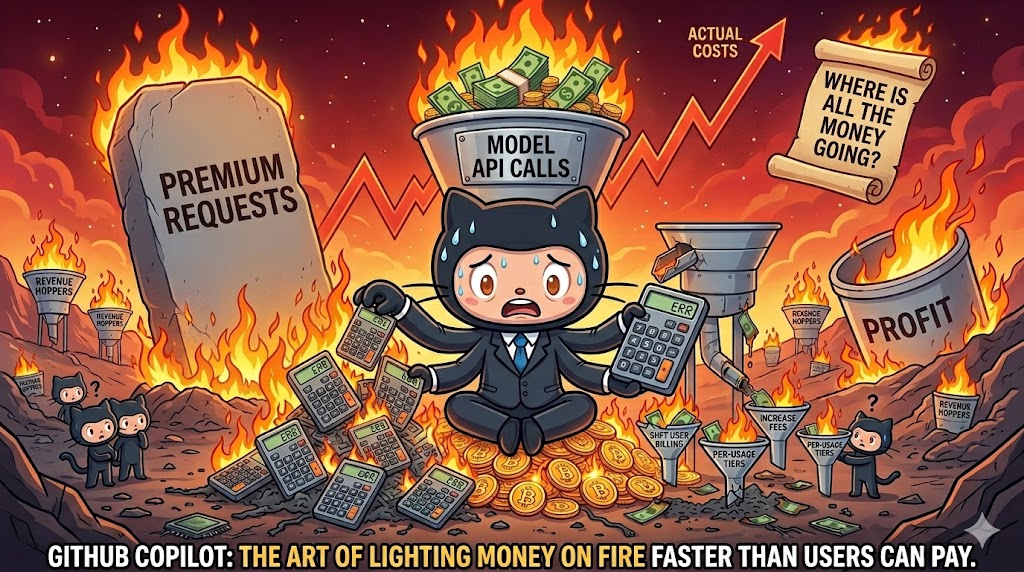
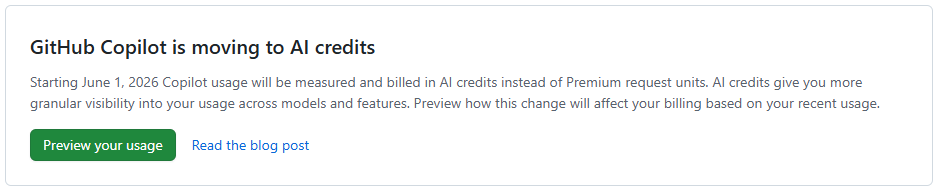
GitHub Copilot is moving to AI credits (after accidently burning billions?)

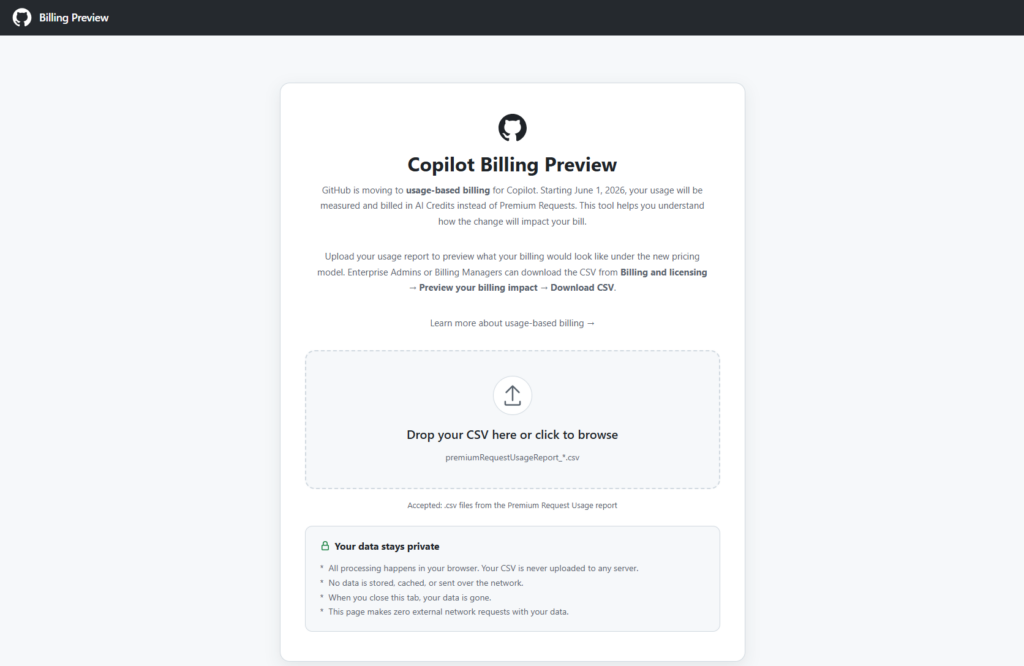
Last month I wrote a history of AI agentic coding, from my perspective, which heavily leaned on GitHub Copilot. One of the things that I have really appreciated over the years was the packaged cost of Copilot in comparison to the apparent cost of using per token prices APIs directly, or even the other packaged deals. However at the end of this month GitHub Copilot is moving to usage-based billing, and they now have a Copilot Billing Preview tool to allow you to compare what you have been paying vs what you will be paying in the future.

In my last post I took a look at my usage breakdown month by month, showing steady growth, and also shifts between the various models. All of that was mostly within the 10 USD per month plan (though this past month I have shifted to the 39 USD per month plan due to the new session and weekly token limits that people are complaining about online a fair bit (I haven’t actually seen a hint of these on the 39 USD per month plan)

However, next month this 39 USD is going to shoot up! And probably for good reason, as it looks like they might have been loosing a billion+ a month in recent months? (More on that below)

The tool is browser based, and just requires you to drop in a CSV file from the Premium request analytics of your account (which now has some additional fields). It then shows you various visualizations in the browser and extracts useful data from the more verbose report, including specifically some comparisons between your previous cost, and apparent future cost with AI credits instead.

Month comparisons

I went back and downloaded all of my new premium request usage report data for this year throughout which I slowly progressed from around 300 PRU per months (premium requests used) toward and past 600 PRU per month (largely due to the cloud agent usage increase. And in summary, this is what the difference between PRU based billing and AICS (AI Credit) billing looks like for me.

MonthPlanPRUsAICsCurrent billing (PRUs)Usage-based billing (AICs)
January 2026Pro (10 USD) 300 PRU293.141,059.761 AICs10 USD10 USD
Feburary 2026Pro (10 USD) 300 PRU318.032,306.47910.72 USD18.06 USD
March 2026Pro (10 USD) 300 PRU719.0939,728.39726.76 USD392.28 USD
April 2026Pro (10 USD) 300 PRU563.7439,911.73720.55 USD394.12 USD
1/2 of May 2026Pro (10 USD) 300 PRU354.6331,017.7611/2 39 USD310.18 USD
Projected May 2026Pro+ (39 USD), 1500 PRU70060,00039 USD620 USD

Read more

A first look at Docker AI Sandboxes for GitHub Copilot

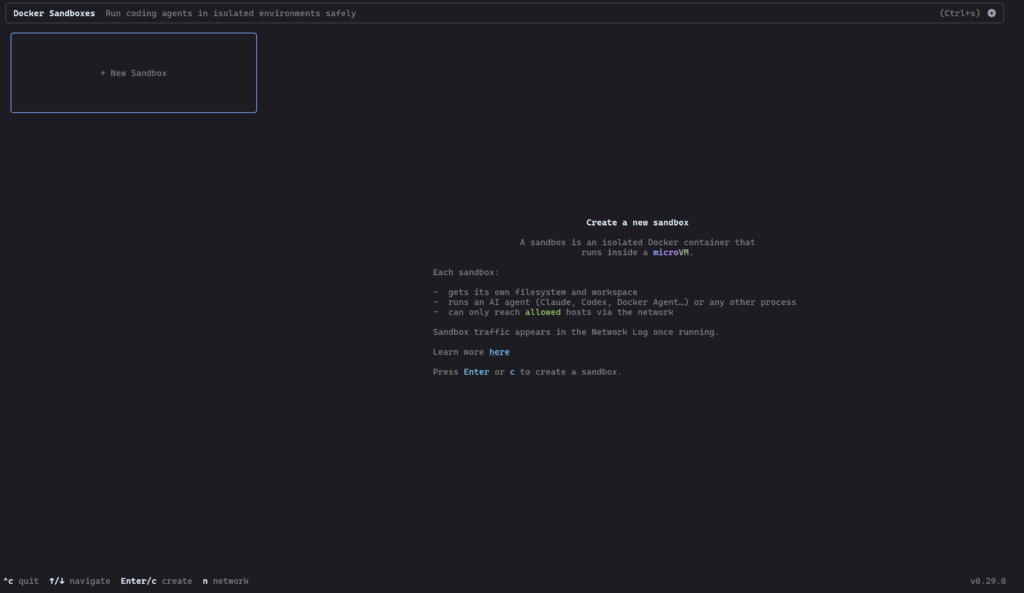
With local AI agents increasingly writing and executing code autonomously, giving them unrestricted access to your machine is becoming a massive security risk. This is one of the primary reasons that agentic flows have so many flavors of approval that may need to happen throughout an agents course of action, though others include review points and being able to keep the agent on track.

I have been very much enjoying my increased use of GitHub Cloud Agents in my work and play, which is rather powerful if you can setup your entire stack (more or less accurately) in a remote environment using VMs and containers. On the project that I currently work the most I have a copilot-setup-steps.yaml file or 53 lines leveraging my existing docker compose based development environment setup of 41 services that only takes 2 minutes to “install” (multi repo clones, and dependency installation), then allowing agent to run various different development configurations depending on the tasks at hand, using a mixture of the services (or not).

However today is the first day I’ll be taking a very brief look at Docker AI Sandboxes, to try and do more of this locally and or on machines nearby…

Read more