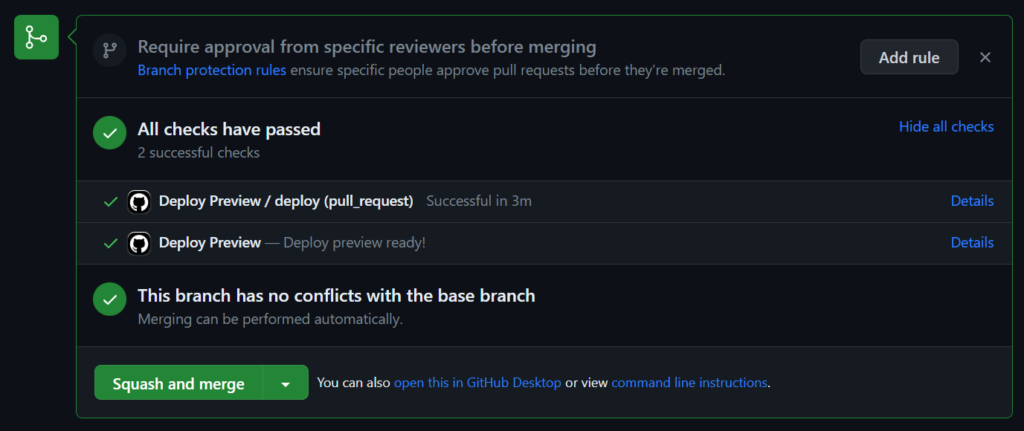
I want to spend some more time developing a-wikimedia-cli (previosuly called mwcli), expanding what it can do, and adding integration tests for more of its functionality along the way. Having tests is useful, but having to wait for them every time you change something makes that slightly less appealing. Especially when your development system seems to be intense bursts of work and branches on the odd evening, or odd weekend, and not much development the rest of the time.
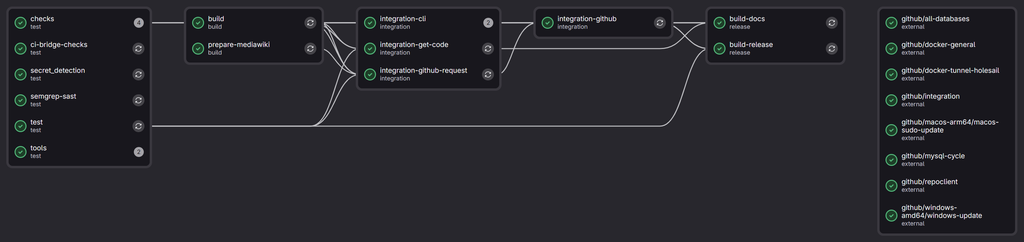
Some of the more involved tests create MediaWiki environments, start databases, install things, turn them off, turn them back on again and check that the CLI has done what it was supposed to. These have been running using Docker-in-Docker (or dind for short) on Wikimedia Cloud VPS machines for some time now, alongside the other checks and builds managed by Wikimedia GitLab. However the are only 2 small workers in the pool for the Docker-in-Docker tests, which are limited to 4 simultaneous jobs due to CPU and RAM constraints. not to mention it’s a waste leaving them on most of the time…
Meanwhile, the project also has a repository on GitHub which is mirrored to from GitLab, where GitHub Actions has machines quite capable of running these tests.
I have thought about moving entirely over to GitHub to solve this problem before, and have spun up forks there with CI before to make sure integration style tests pass before promoting them into branches in GitLab. However I never made a complete move. I have also dabbled with doing cross repo CI before for this setup, however it often ended in a disappointing mess.
However, maybe this time it will work *wink wink*…
In my last post I took a look at my usage breakdown month by month, showing steady growth, and also shifts between the various models. All of that was mostly within the 10 USD per month plan (though this past month I have shifted to the 39 USD per month plan due to the new session and weekly token limits that people are complaining about online a fair bit (I haven’t actually seen a hint of these on the 39 USD per month plan)
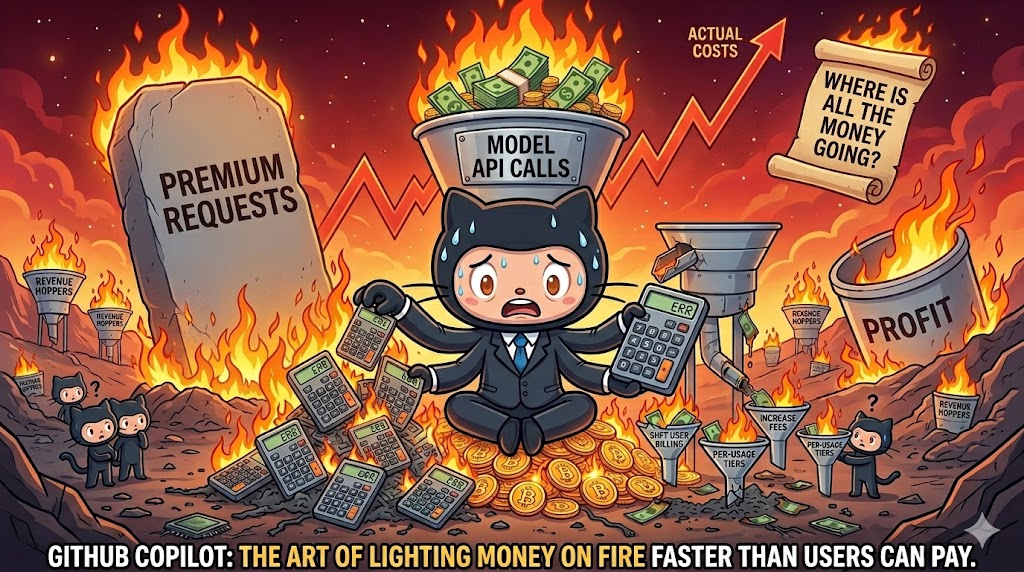
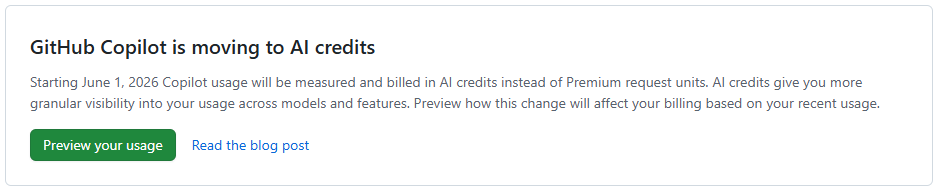
However, next month this 39 USD is going to shoot up! And probably for good reason, as it looks like they might have been loosing a billion+ a month in recent months? (More on that below)
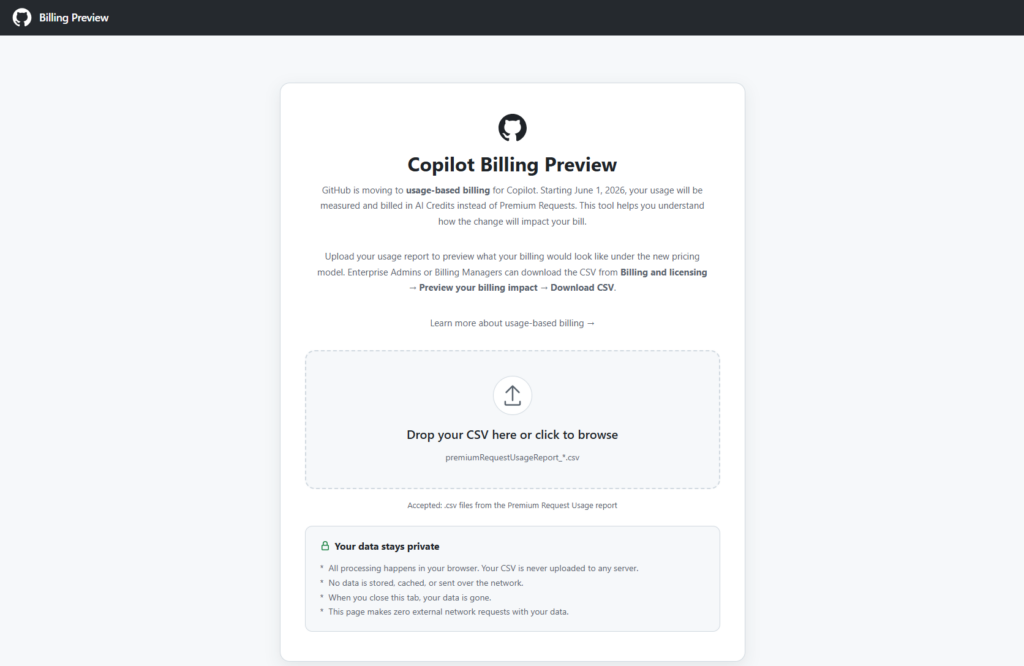
The tool is browser based, and just requires you to drop in a CSV file from the Premium request analytics of your account (which now has some additional fields). It then shows you various visualizations in the browser and extracts useful data from the more verbose report, including specifically some comparisons between your previous cost, and apparent future cost with AI credits instead.
Month comparisons
I went back and downloaded all of my new premium request usage report data for this year throughout which I slowly progressed from around 300 PRU per months (premium requests used) toward and past 600 PRU per month (largely due to the cloud agent usage increase. And in summary, this is what the difference between PRU based billing and AICS (AI Credit) billing looks like for me.
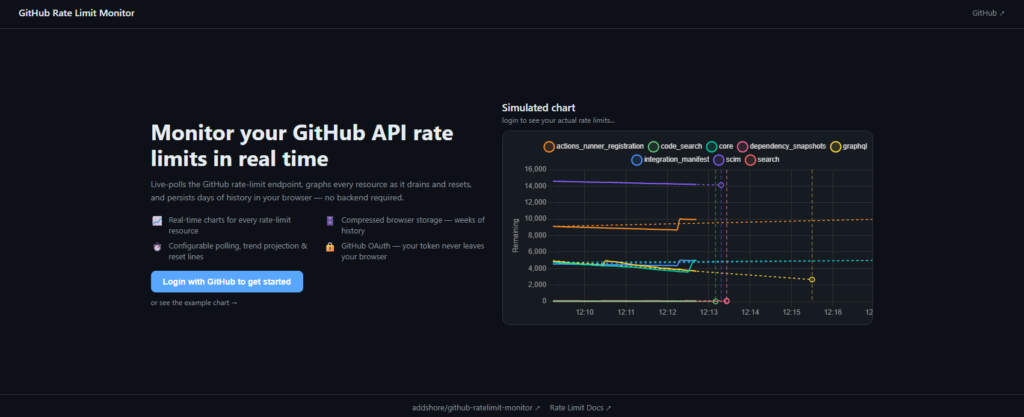
For one reason or another I have run into GitHub core API limits or been throttled in the last few weeks, which has generally annoyed me, and leads to some workflows (such as using GitHub Copilot in an IDE) to be broken, even though such things seemingly have their own API limits and restrictions, they often rely on core to do some things…
As a result I wrote a little script to poll the GitHub API and graph it to try and spot the moments that the limits were all consumed (I’m pretty sure it was down to be including some large file in a context, or doing something else undesirable), and this was fairly OK. I ended up turning this into something that would live graph the usage in the terminal for me so that I didn’t have to read numbers, and before you know if, I guided an agent through making a full UI and created my first authenticated GitHub app.
So now if you end up in a similar situation to me and just want to track your GitHub usage limits for the next hour, you can head to https://github-ratelimit-monitor.addshore.com/, login and see a pretty graph, visualize the data in a few different ways, predict when your going to hit the limits, see when your limits will reset, and download the raw data after.
Naturally, since making it, I haven’t reached a limit, but I’m going to leave it running in the background for the next few days anyway for fun…
The prompts used will also be the same as i my last blog post, starting with…
The code repository is going to be a small Library application.
There are CSV files in the resources directory that contain the content of the library.
Create a user interface that allows display of all books and magazines with detailsCode language:Access log(accesslog)
And continuing to guide the agent through adding a couple of features such as searches, ordering, writing some basic tests, allowing adding data and having a companion application (either CLI or UI, depending on what it chose to do first). You can expand the second below to see them all…
Great! Now I want to add to the interface that you created to allow searching for a book or magazine by its ISBN.
I still want to be able to easily list all books and magazines without any filters / searches too.Code language:Access log(accesslog)
Add an additional way to find books and magazines, by using their authors email address.Code language:Access log(accesslog)
Add the ability to sort all books and magazines, with all of their details displayed, sorted by title.
The sort should be done for magazines and books in combination.Code language:Access log(accesslog)
And as a follow-up …
Write unit tests for the project where appropriate.
If the code is not very unit testable, refactor it, maintaining functionality.Code language:Access log(accesslog)
Add one final feature that allows a user to add books, magazine and or authors to the library.
This should update the CSV files to show the data for future library lookups.
Don't let them just add to each file separately (such as author first), create a sensible form for adding things in a single action.Code language:Access log(accesslog)
And for the second application…
If you didn't yet create an interactive WEB UI, do so now.
If you didn't yet create an interactive CLI UI, do so now.
This can be very simple without much or any styling, but must be functional for the required features:
- read data from CSV files
- display all books and magazines with details
- search by ISBN or author email
- print them sorted by title
- add things to the library (persisting to the CSVs)Code language:Access log(accesslog)
You might also have seen me occasionally send this hint to try harder…
Allow the user to choose the sort directionCode language:Access log(accesslog)
Before diving into details, overall the 5.2 Codex model as part of Copilot seems to be my favourite, though to be honest, if you can structure your prompts and repositories to work well within the GitHub Copilot cloud agents setup, that looks very appealing.
The numbers
These numbers all come with a pinch of salt, and you need to read the blurbs next to each video below to learn about that salt. Each number roughly summarizes how long that stage took according to the video replay. Some setups do more validation which takes more time, some just hope they got it right, others get stuck in the same problems over and over again, and some one shot it…
The shortest overall time from my last post was around 18 minutes which was Roocode in VS Code with GPT 4.1, so seeing that GPT 5.2 Codex in Copilot did it all in around half the time and came up with a “better application” hints at a great improvement in the last 6 months.
This entry is part 7 of 7 in the series Year Reviews
Well, I’m still not back on a boat as I was in 2023… Where to start…
Lightbug
I havn’t written a whole lot about Lightbug yet on this blog, but its still been a fun year of new developments at, and I think it’s time to share some of them with pictures ;)
We released small handheld RTK device, with programmable ESP32 onboard, giving high precision accuracy, in a nice small package.
I’v enjoyed seeing how folks have been using these devices, from tracking lane changes in cars, to finding accuract path positions, or traking things around race courses.
Hopfully this year I’ll get to the point of writing my GPS, RTK, phone etc comparison blog post, comparing the tracks recorded from a bunch of different devices to compare accuracy etc.
Given my open source / open data interests, I do wonder if this will end up being useful for the OpenStreetMap community.
Now we also developed and worked on the ZCard device, though this has primarily remained inhouse, or for show and conferences and workshops. So much so, that there isn’t even a picture of one on the Lightbug website yet, but here is one sitting on one of our tshirts bak at MWC earlier this year, where we had a demo application running on it, allowing basic interactions from a web page.
Think of it kind of like a Flipper Zero in a way, but running the same hardware and firmware stack as the rest of the Lightbug devices, at a fraction of the price, focued on developers. Buttons, Lights, Eink screen, but more importantly, cellular connectivity (GSM LTE CAT 1), LORA, WiFi, Bluetooth, GPS and more.
What a year, I spent most of my time on a sail boat, cruising around the Caribbean etc, and working part-time for Wikimedia on Wikibase.
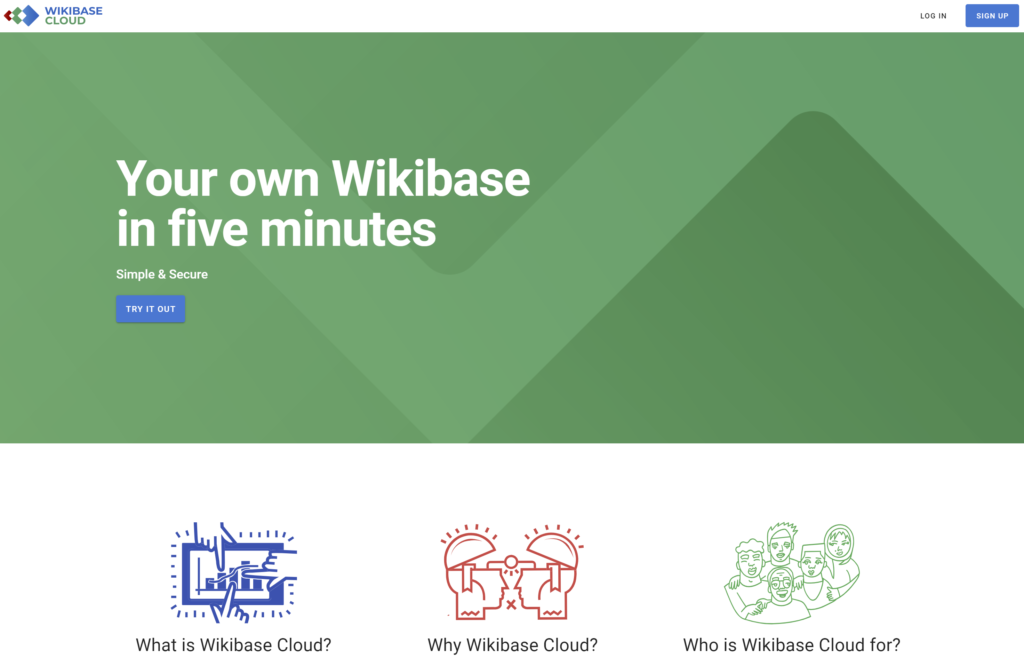
WBStack became Wikibase.Cloud and the team now working behind it has continued to iterate on the platform, which finally made its way out of its early alpha state. That also came with a snazzy new landing page, and set of logos for Wikibase etc.
Infact, in the last few weeks I finally saw all of the old wbstack Github issues finally migrate onto Phabricator for the team to more easily view and work with.
I look forward to creating an overview of the things that have changed with Wikibase.Cloud year on year at some point, as an overview of the progression of the platform that I still believe is very important to the continued growth of Wikibase.
In the less digital world, I turned our many boaty blog posts and pictures into a book! No you can’t buy one (maybe if we made a 2nd edition. But can we consider ourselves published authors now? It has an ISBN on the back, after all?
As a developer, one of the most critical aspects of your workflow is the ability to test and preview your code changes before deploying them to production. This is where developer previews come in.
This post will outline how to create your own simple developer preview system, using Github Actions for building, AWS S3 for hosting, and Terraform to provision it all. Giving you more control, and a lower cost.
Shout out to Pedro Brandão from Significa whose post I read as inspiration for this setup.
What are Developer Previews?
Developer previews, also known as feature branches or pull request previews, allow developers to create isolated environments to test their changes without impacting the main production environment. It enables teams to collaborate, review, and validate code before merging it into the main branch. With developer previews, you can catch bugs, validate new features, and gather feedback early in the development process, ensuring a smoother deployment to production.
Existing services
Many dedicated platforms exist that offer developer preview as a service. These platforms provide a streamlined solution for creating and managing isolated environments for testing code changes. Examples of such services include Netlify’s Deploy Previews, Vercel’s Preview Deployments, and Heroku Review Apps. These platforms integrate seamlessly with popular version control systems and automatically deploy feature branches or pull requests, allowing developers to easily preview their changes. By leveraging these dev-preview services, developers can simplify the process of creating and managing preview environments, enabling faster iteration and effective collaboration within development teams.
However, all these services have a cost, which will always be higher than the do-it-yourself approach.
This entry is part 6 of 7 in the series Year Reviews
I’ve been doing year reviews since 2017 under the #year-review tag, and 2022 is no different. Expect I have been living aboard a sailboat traveling the world for the latter half of the year. So this year is probably going to look a little different in retrospect, including far less time coding and writing about technology, but far more nautical miles traveled.
(the GPS track below is mostly accurate, but also has some odd artifact in it…)
Blogging (and Boating)
The trip has resulted in some alternative blogging about sailboats, and much of which has been on an entirely separate blog https://sailinghannahpenn.co.uk.
In fact, here is a picture of Hannah Penn from last week after hauling out of the water in Guadeloupe for form extra painting.
There is always lots to be doing while sailing, and second to sailing comes enjoyment. I have also been working 10h per week for Wikimedia Deutschland, and altogether this leaves sparse gaps for other things on the side like blogs.
There are many blog posts and articles out there about making small git commits. I’m sure most people (including me) bring up the same few topics around why small commits are good and why we should all probably be making smaller commits.
In this post, I’ll look at some of the key topics from my perspective, and try to tie these topics to concrete examples from repositories that I have worked on. The topics are in no particular order, so be sure to give them all a read.
One thing to note is that “small” doesn’t necessarily mean small in terms of lines of code. Small here is also relative. Also, small commits can benefit you in many different places, but to stand the test of time they must end up in your main branch.
Git features during development
Git only takes full responsibility for your data when you commit
If you are like me, at some point while developing projects on Github you will have started and stopped using releases, opting to switch back to only creating tags. Github defaults leave you in a bit of an awkward position here where the “Releases” section in the side bar will continue to show your old … Read more