Over the years I have created a few little side projects, as well as working on other folks’ Wikibases, and of course Wikidata. And the one thing that I still wish would work better out of the box is reconciliation.
What is reconciliation
In the context of Wikibase, reconciliation refers to the process of matching or aligning external data sources with items in a Wikibase instance. It involves comparing the data from external sources with the existing data in Wikibase to identify potential matches or associations.
The reconciliation process typically follows these steps:
- Data Source Identification: Identify and select the external data sources that you want to reconcile with your Wikibase instance. These sources can include databases, spreadsheets, APIs, or other structured datasets.
- Data Comparison: Compare the data from the external sources with the existing data in your Wikibase. This step involves matching the relevant attributes or properties of the external data with the corresponding properties in Wikibase.
- Record Matching: Determine the level of similarity or matching criteria to identify potential matches between the external data and items in Wikibase. This can include exact matches, fuzzy matching, or other techniques based on specific properties or identifiers.
- Reconciliation Workflow: Develop a workflow or set of rules to reconcile the identified potential matches. This may involve manual review and confirmation or automated processes to validate the matches based on predefined criteria.
- Data Integration: Once the matches are confirmed, integrate the reconciled data from the external sources into your Wikibase instance. This may include creating new items, updating existing items, or adding additional statements or qualifiers to enrich the data.
Reconciliation plays a crucial role in data integration, data quality enhancement, and ensuring consistency between external data sources and the data stored in Wikibase. It enables users to leverage external data while maintaining control over data accuracy, completeness, and alignment with their knowledge base.
Existing reconciliation
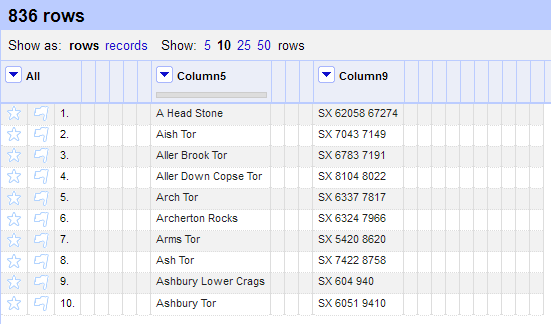
One of my favourite places to reconcile data for Wikidata is by using OpenRefine. I have two previous posts looking at my first time using it, and a follow-up, both of which take a look at the reconciliation interface (You can also read the docs).