Recently I wanted to create a live status page for wikibase.cloud, that also tracking the status of the various services and response times, so that people in the Telegram group might be able to try and correlate their experiences (possibly slow behaviour) with what was seen by others in other locations on other sites, without needing to message in the Telegram group.
I initially chose to experiment with Cloudflare Workers to do the minutely checks, after looking around at the current offerings for free online code running (thinking Heroku style etc).
Back in 2019 at the start of the COVID-19 outbreak, Wikipedia saw large spikes in page views on COVID-19 related topics while people here hunting for information.
I wrote a notebook to do just this, submitted it for privacy review, and I am finally getting around to putting some of those moving parts and visualizations in public view.
Methodology
It certainly isn’t perfect, but the representation of spikes is much more accurate than looking at a single Wikipedia or set of hand selected pages.
Find statements on Wikidata that relate to COVID-19 items
Wikidata Integrator is a Python library that simplifies data integration from Wikidata (and other Wikibases). It is written in Python, is focused on Wikibase concepts (as opposed to some libraries which are MediaWiki focused) and has a user-friendly interface.
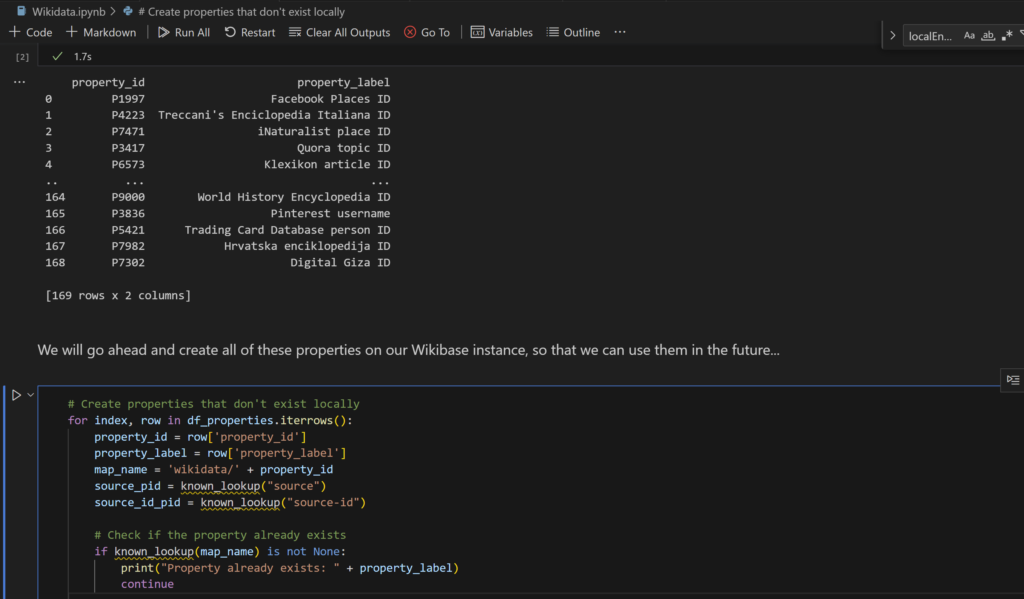
I’m currently working on a demo Wikibase and decided to bring all of the data into the Wikibase making use of a Jupyter notebook, and Wikidata integrator was my choice library to use for this task. (Jupyter notebooks are interactive coding environments that allow users to create and share documents containing live code, visualizations, and explanations.)
Along that journey I found the Wikidata Integrator documentation lacking slightly, but I managed to get initial property and item creation working with little effort. However, I couldn’t get properties to create with statements already on them (needed a subsequent edit instead).
The asyncio module was added to Python in version 3.4 to “provides infrastructure for writing single-threaded concurrent code using coroutines, multiplexing I/O access over sockets and other resources, running network clients and servers, and other related primitives”. If you want an introduction to asyncio take a look at this blog post.
This post will look at how to share state between multiple async methods that may be running at the same time without using anything silly like globals. The examples should be easy to follow and easy to extrapolate from. Also I’ll be embedding trinket.io code snippets which you should be able to run in the browser.
Disclaimer: I don’t really write much python so there might be better solutions. This post is only meant to serve as a consolidation of knowledge to be passed to another.