Splitting a Terraform / Spacelift stack in 2

A year or so ago, I imported a bunch of existing AWS resources into a Spacelift stack using Terraform. Parts of this stack included provisioning Github actions secrets from AWS into Github itself. Due to the way the Github provider and Github API work, I was starting to hit into rate limits due to my ever-increasing number of secrets.

Rather than do anything fancy with additional authentications with the Github API, or higher limits or refactorings within the stack, I opted to split the stack out into the more manageable and focused stacks, which I had already started with my latest deployment which had a stack all to itself.

Unfortunately, there is no “super easy” way to do this. I was dreaming of clicking a button and being able to drag and drop configuration and or state between the various stacks, that would be dreamy. But instead I had to code up some simple scripts to help me migrate the state locally.

High level process

First:
Read more

Developer previews with AWS, Terraform and GitHub Actions

As a developer, one of the most critical aspects of your workflow is the ability to test and preview your code changes before deploying them to production. This is where developer previews come in.

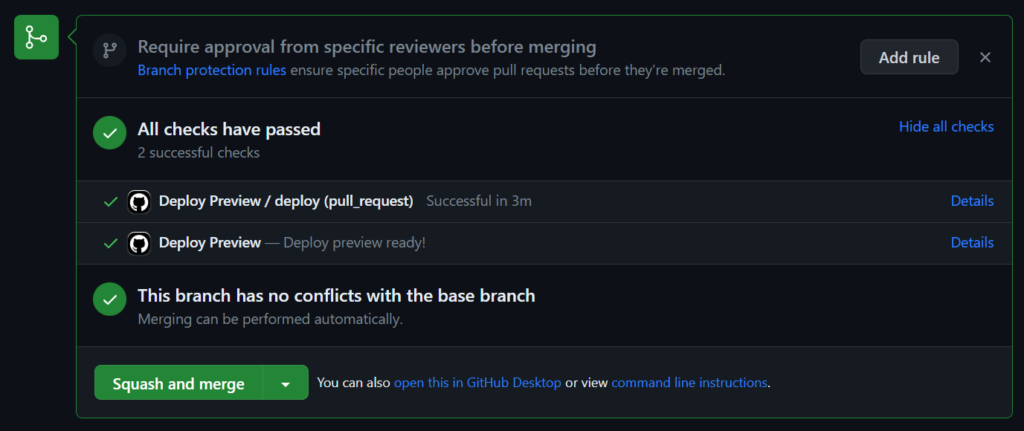
This post will outline how to create your own simple developer preview system, using Github Actions for building, AWS S3 for hosting, and Terraform to provision it all. Giving you more control, and a lower cost.

Shout out to Pedro Brandão from Significa whose post I read as inspiration for this setup.

What are Developer Previews?

Developer previews, also known as feature branches or pull request previews, allow developers to create isolated environments to test their changes without impacting the main production environment. It enables teams to collaborate, review, and validate code before merging it into the main branch. With developer previews, you can catch bugs, validate new features, and gather feedback early in the development process, ensuring a smoother deployment to production.

Existing services

Many dedicated platforms exist that offer developer preview as a service. These platforms provide a streamlined solution for creating and managing isolated environments for testing code changes. Examples of such services include Netlify’s Deploy Previews, Vercel’s Preview Deployments, and Heroku Review Apps. These platforms integrate seamlessly with popular version control systems and automatically deploy feature branches or pull requests, allowing developers to easily preview their changes. By leveraging these dev-preview services, developers can simplify the process of creating and managing preview environments, enabling faster iteration and effective collaboration within development teams.

However, all these services have a cost, which will always be higher than the do-it-yourself approach.

Read more

WBStack Infrastructure

This entry is part 7 of 12 in the series WBStack

WBStack is a platform allowing shared scalable hosting of Wikibase and surrounding services.

A year ago I made an initial post covering the state of WBStack infrastructure. Since then some things have changed, and I have also had more time to create a clear diagram. So it is time for the 2021 edition.

WBStack currently runs on a single Google Cloud Kubernetes Engine cluster, now made up of 3 virtual machines, one e2-standard-2 and two e2-medium. This results in roughly 4 vCPUs and 12GB of allocatable memory.

Read more