A first look at Docker AI Sandboxes for GitHub Copilot

With local AI agents increasingly writing and executing code autonomously, giving them unrestricted access to your machine is becoming a massive security risk. This is one of the primary reasons that agentic flows have so many flavors of approval that may need to happen throughout an agents course of action, though others include review points and being able to keep the agent on track.

I have been very much enjoying my increased use of GitHub Cloud Agents in my work and play, which is rather powerful if you can setup your entire stack (more or less accurately) in a remote environment using VMs and containers. On the project that I currently work the most I have a copilot-setup-steps.yaml file or 53 lines leveraging my existing docker compose based development environment setup of 41 services that only takes 2 minutes to “install” (multi repo clones, and dependency installation), then allowing agent to run various different development configurations depending on the tasks at hand, using a mixture of the services (or not).

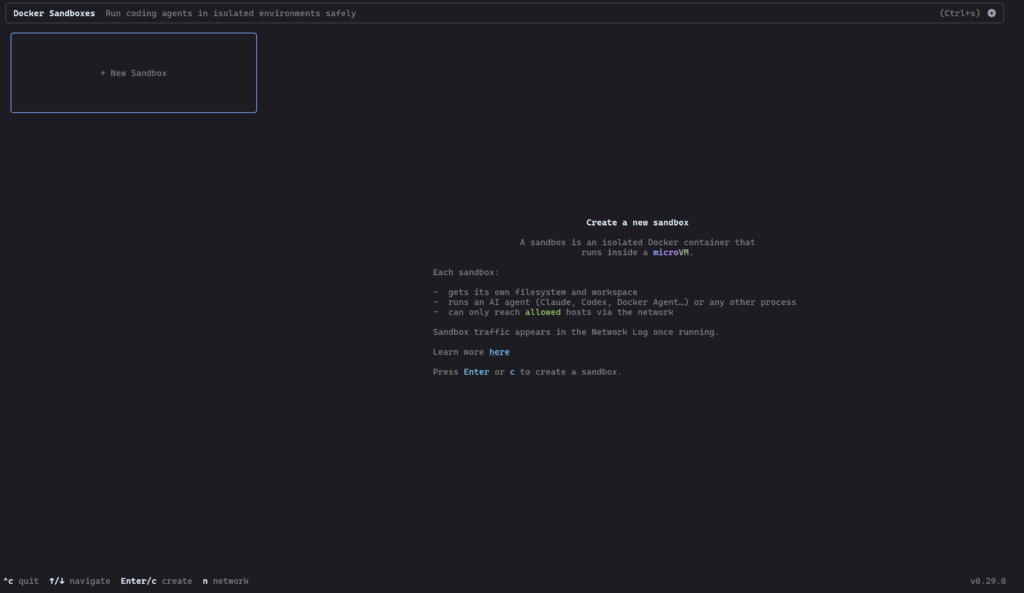
However today is the first day I’ll be taking a very brief look at Docker AI Sandboxes, to try and do more of this locally and or on machines nearby…

Read more

Autoreload go code on code change

For developers, the ability to autoreload code upon any changes is nothing short of a game-changer. It not only streamlines the development process but also fosters an environment of continuous improvement and experimentation.

There are so many packages for languages such as JavaScript for such a behaviour, but I struggled to easily find a simple-to-use go version with an example.

And that’s where this post comes in, as a simple to-the-point example extracted from what I learnt while reading https://dev.to/jacobsngoodwin/full-stack-memory-app-01-setup-go-server-with-reload-in-docker-62n

We will be making use of https://github.com/cespare/reflex, which is a go package and small tool to watch a directory and rerun a command when certain files change. 

Read more

mediawiki-docker-dev in mwcli

The original mediawiki-docker-dev environment was created by accident and without much design back in 2017.

In 2020 I started working on a new branch with some intentional design and quite liked the direction.

And now finally, the all of the mediawiki-docker-dev functionality exists in a new home, with more intentional design, tests, stability, releases and more.

I’ve already written a brief history of the tool in a previous post so now I’ll focus on what mediawiki-docker-dev looks like in the mwcli environment for the current version 0.8.0.

Read more

mwcli CI in Wikimedia GitLab (docker in docker)

mwcli is a golang CLI tool that I have been working on over the past year to replace the mediawiki-docker-dev development environment that I accidently created a few years back (among other things). I didn’t start the CLI, but I did this mediawiki-docker-dev like functionality.

As some point through the development journey it became clear that one of the ways to set the new and old environments apart would be through some rigorous CI and testing.

This started with CI running on a Qemu node as part of the shared Wikimedia Jenkins CI infrastructure that is hooked up to Gerrit, where the code was being developed. This ended up being quite slow, and involved lots of manual steps.

A next iteration saw the majority of development take place in my own fork on Github, making use of Github Actions. Changes would then be copied over to Gerrit for final review once CI tests had run.

And finally the repository moved to the new Wikimedia GitLab instance (work in progress), where I could make use of GitLab Runners powered by a machine in Wikimedia Cloud VPS.

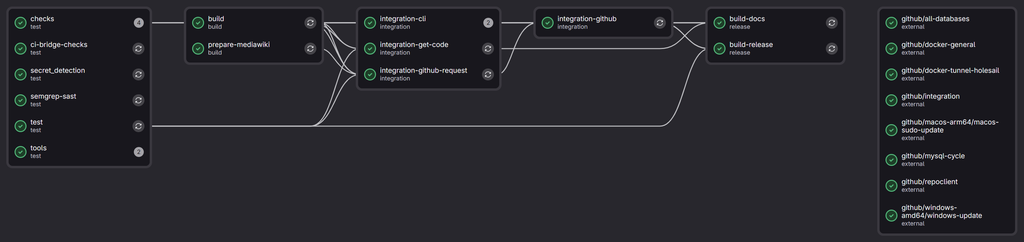
Screenshot of GitLab pipelines in action for the mwcli project

Read more

Developing on Windows, the WSL life

The Windows developer experience has evolved quite allot in the last 5-10 years. I now spend most of my development life running Windows with WSL2 and using Windows Terminal and winget. So here are a few pointers from my experiences so far.

WSL (WSL2)

WSL2 is what you want! The first version of WSL was a step in a great direction, but had many cons, such as IO performance. It should be fairly easy to install and will provide you a full Linux Kernel accessible from within Windows.

WSL also has access to your Windows filesystem via a mount at /mnt/c. Generally if you are using Linux tooling, you’ll want your file access to remain in the Linux file system. For example, I have almost all of my git repositories checked out in my Linux file system. For the odd repository that I use mainly Windows tooling I leave in Windows land.

Read more

mediawiki-docker-dev, a history

MediaWiki-Docker-Dev (or MWDD) is a development environment for MediaWiki, based on Docker and docker-compose. It was created back in 2017 at the Wikimedia Hackathon in Vienna where it had a slightly difference feature set and focus. (Original Slides).

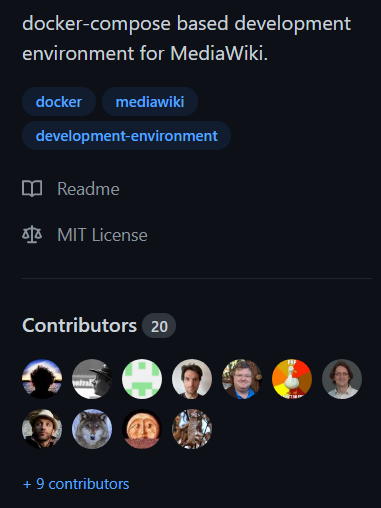
Since inception the git repo now has 180 commits from 20 authors over the course of 4 years, of which 7 have been WMF employees and 11 have been WMDE employees, though the project has had no “official” support from either organization. Counting forks we have 12 WMF employees and 16 WMDE employees.

Due to the nature of the project (being setup from a git clone), it is quite hard to figure out how many users it has. We can infer that in the last year, thanks to a custom image that has been required, it has been set up roughly 1200 times, by checking the pull stats of silvanwmde/nginx-proxy.

Read more

Twitter bot powered by Github Actions (WikidataMeter)

Recently 2 new Twitter bots appeared in my feed, fullyjabbed & fullyjabbedUK, created by iamdanw and powered entirely by Github Actions (code).

I have been thinking about writing a Twitter bot for some time and decided to copy this pattern running a cron based Twitter bot on Github Actions, with an added bit of free persistence using jsonstorage.net.

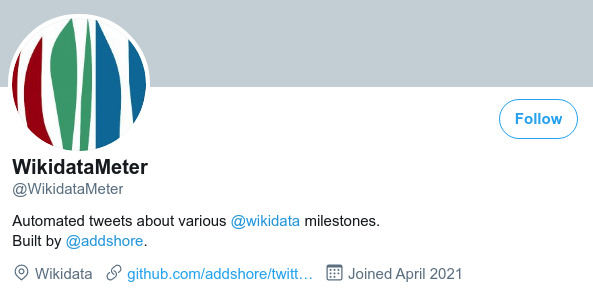
This post if my quick walkthrough of my new bot, WikidataMeter, what it does and how it works. You can find the code version when writing this blog post here, and the current version here.

Read more

VSCode & PHP XDebug from Localhost, WSL2 and Docker containers

VSCode seems to be one of the up and coming IDEs over the last year. I personally switched from Jetbrains IDEs to VSCode fo most of my development work at some point in 2020.

Apparently up until now I have avoided running the PHP debugger Xdebug. I had to do a little search around to figure out the correct settings for my setup decided to write them down in this handy blog post.

Read more

dockerit v0.0.5 (Easier than docker run)

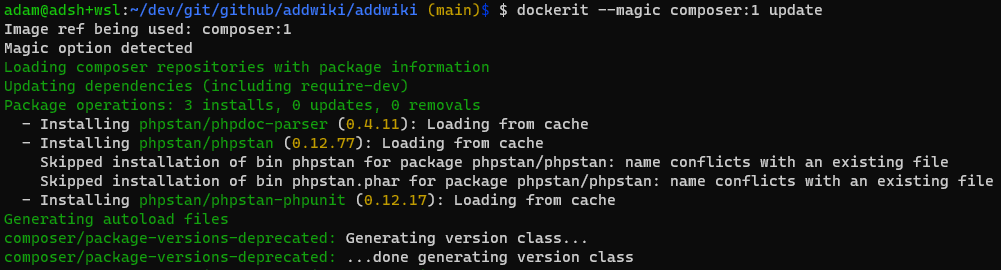
dockerit is a small CLI tool that I have been working on during the start of 2021. It’s intended to make running one off commands and CLI tooling easier in docker. Rather than having to write a long string of parameters for docker run, instead you can just use dockerit. This applies to both CLI usage, but also via bash aliases.

You can download a build binary of dockerit from the Github releases page.

Read more

PHP 7 composer docker image digest

At some point in the last weeks the composer docker image that can be found on docker hub switched from PHP7 to PHP8. Some projects, such as wikibase-docker, still require PHP7 for installation.

It looks like the composer image is not going to be providing an additional tag using a pre PHP 8 version, thus an old digest will be needed.

tldr; here is the digest that you want for composer with PHP7 (tag-details)

docker pull composer@sha256:d374b2e1f715621e9d9929575d6b35b11cf4a6dc237d4a08f2e6d1611f534675

Read more