Digital Yacht WL510 & 4G Connect review

It’s been around 6 months since I set off on a digital nomad-style experience on a sailboat with the Digital Yacht 4GConnect and WL510, and I’m ready to give them some kind of initial review.

If you want to read some high-level details of this adventure, and other technical details of the boat, batteries, antennas and work, read the digital nomad boat experience post first.

Overall, they are 2 nice bits of kit, well-engineered and thought-through, but probably a bit expensive given the amount of use that I have managed to get out of them (less than I would have liked for a variety of reasons).

TLDR; If I were to start this trip again, I probably wouldn’t buy them again. However, for a different trip or situation, they might make more sense (cruising around the UK for example)

Installation
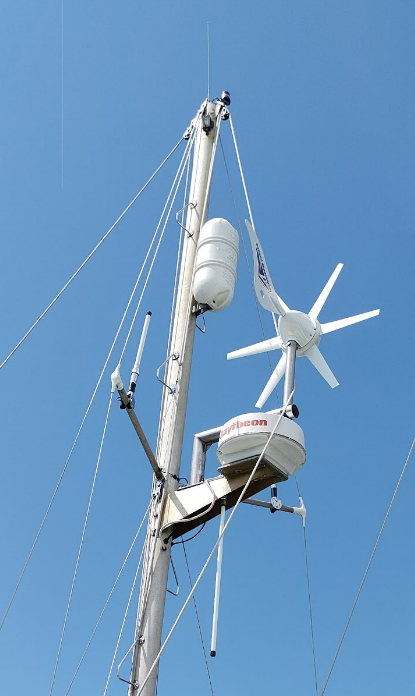
A collection of antennas on the Mizen (back) mast

Both of the devices were easily wall mountable, and they come with all required cables and connectors, but I do wish that they both had switches included to turn them on and off, just in case you want to.

Due to the length of the antenna cables and the desire to put the antennas up our mizzen mast the positioning of the devices was not ideal, but at least we got the antennas up with a bit of height.

The Wifi antenna cable is also pretty thick, making usage of a rubber deck cable Gromit harder than we would have liked, as the cables also already have their ends attached and these are even thicker than the cables. (Of course, we could have made our own cables…)

Usage of the 4G Connect

The UI within the 4G connect is fine, fully featured and pretty easy to use. There isn’t much you need to do here if you are using the 4G Connect alone, but you’ll probably end up regularly changing things when using in conjunction with the WL510.

It’s nice having a large and high 4G antenna (part of the 4G Connect) to increase the chances of getting a 4G connection from your sim cards.

This has mostly been most useful for me while heading away from land or toward land at 5-20 nautical miles. I always get a connection on the 4G Connect before getting one on my phone and other devices. But in the grand scheme of things, this is not when most of my internet usage happens. It was a novelty being able to make a video call while in the middle of the sea, with the land only in distant sight, but not amazingly useful.

Read more

Sailing: Months 2 & 3

It’s been a while since my first personal sailing post, life is busy as ever, just now on a boat. Lots of sailing, exploring, relaxing, resting, working and boat jobs.

We have written lots of adventure content at sailinghannahpenn.co.uk, but now for my own summarised take on the past few months and general thinking of this boat life.

Exploration time

Looking back over the past 3 months I can now say for certain that you should spend more than 3 months adventuring down the western coast of Europe. In fact, just schedule 4x the amount of time you initially think for a sailing adventure. There are many gaps in our explorations and places I will need to try and see again.

Read more

Wikimedia Enterprise: A first look

Wikimedia Enterprise is a new (now 1-year-old) service and offered by the Wikimedia Foundation, via Wikimedia, LLC.

This is a wholly-owned LLC that provides opt-in services for third-party content reuse, delivered via API services.

In essence, this means that Wikimedia Enterprise is an optional product that third parties can choose to use that repackages data from within Wikimedia projects in a more useful, more reliable, and stable format presenting them primarily via data downloads and APIs, with profits going into the Wikimedia Foundation.

Want to find out more? Read the FAQ.

The project and APIs are well documented, and access can be requested for free, but I wanted to spend a little bit of time hands-on with the APIs to get a full understanding of what is offered, the formats, and how it differs from things I know are exposed elsewhere in Wikimedia projects.

Account Creation

Wikimedia Enterprise accounts are separate from any other Wikimedia related accounts, so you’ll need a new one.

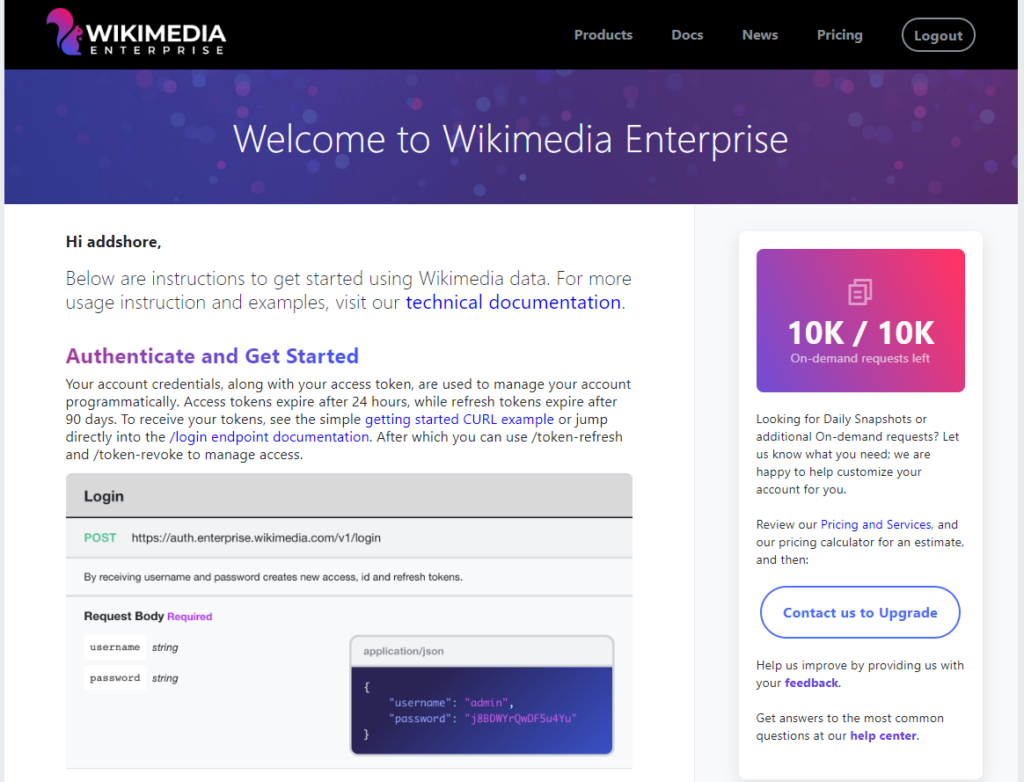
In order to get an account you need to fill out a pretty straightforward form (username, password, email, and accept terms). You then need to verify your email address. Tada, you are in!

Read more

Jetbrains Fleet & WSL: First impressions

It’s no secret that I develop using Windows and WSL. For the past few years, I have also primarily used VSCode as my go-to development environment.

Between 2012 and 2018 I mainly used Jetbrains IntellijJ IDEA, but I found the speed of VSCode (launched in 2015), along with the modern design and vibrate plugin ecosystem, to win me over.

Every now and again I have found myself dipping back into the suite of Jetbrains IDEs, primarily for their high-quality code refactoring tools, nothing that I have seen in the VSCode ecosystem has quite lived up to this functionality.

Jetbrains Fleet was announced in 2021, and was behind a waitlist until this past week. It’s now in public preview!

This is exciting, as it’s advertised as “lightweight” with code processing engines running separately, similar to what is done in VSCode. But also contains their “20 years of experience developing IDEs”, which I hope will maintain the high-quality refactoring tools. Not to mention built-in “distributed” working modes for remote development, thus built-in WSL project integration.

So here is a very first look at using Fleet with a project in WSL2 land.

Read more

Global “unlimited” data options: Wraptel, Keepgo & Solis

Ahead of this year of sailing, I wanted to ensure I had as many high quality connectivity options as possible. As already mentioned I bought a Digital yacht WL510 and 4G Connect, the latter of which needs sim cards in order to connect.

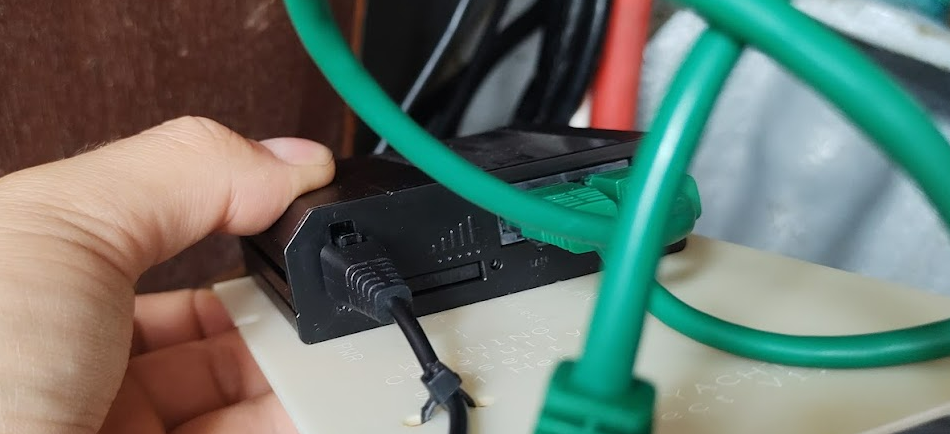
Sim card slot inside the 4G Connect

The world seems to be half way between using physical sim cards, and ESIMS, and the digital yachting world hasn’t quite caught up with this trend just yet. So I wanted to find the best, hopfully mostly unlimited, mostly worldwide, sim card options to put in the 4G Connect.

All options that I managed to find had some sort capping system before data would slow down. Some even had an actual data cap despite advertising themselves as “unlimited”.

Below you can find a comparison of the options I tried.

Read more

A first Wikidata query service JNL file for public use

This entry is part 2 of 3 in the series Your own Wikidata Query Service

Back in 2019 I wrote a blog post called Your own Wikidata Query Service, with no limits which documented loading a Wikidata TTL dump into your own Blazegraph instance running within Google cloud, a near 2 week process.

I ended that post speculating that part 2 might be using a “pre-generated Blazegraph journal file to deploy a fully loaded Wikidata query service in a matter of minutes”. This post should take us a step close to that eventuality.

Wikidata Production

There are many production Wikidata query service instances all up to date with Wikidata and all of which are powered using open source code that anyone can use, making use of Blazegraph.

Per wikitech documentation there are currently at least 17 Wikidata query service backends:

  • public cluster, eqiad: wdqs1004, wdqs1005, wdqs1006, wdqs1007, wdqs1012, wdqs1013
  • public cluster, codfw: wdqs2001, wdqs2002, wdqs2003, wdqs2004, wdqs2007
  • internal cluster, eqiad: wdqs1003, wdqs1008, wdqs1011
  • internal cluster, codfw: wdqs2005, wdqs2006, wdqs2008

These servers all have hardware specs that look something like Dual Intel(R) Xeon(R) CPU E5-2620 v3 CPUs, 1.6TB raw raided space SSD, 128GB RAM.

When you run a query it may end up in any one of the backends powering the public clusters.

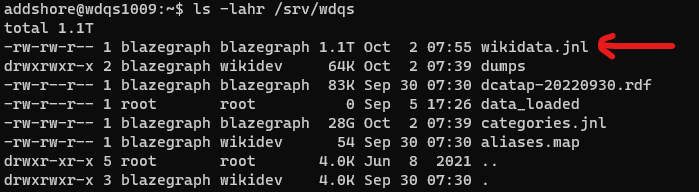
All of these servers also then have an up-to-date JNL file full of Wikidata data that anyone wanting to set up their own blazegraph instance with Wikidata data could use. This is currently 1.1TB.

So let’s try and get that out of the cluster for folks to use, rather than having people rebuild their own JNL files.

Read more

Google Cloud Storage upload with s3cmd

I recently had to upload a large (1TB) file from a Wikimedia server into a Google Cloud Storage bucket. gsutil was not available to me, but s3cmd was. So here is a little how to post for uploading to a Google Cloud Storage bucket using the S3 API and s3cmd.

S3cmd is a free command line tool and client for uploading, retrieving and managing data in Amazon S3 and other cloud storage service providers that use the S3 protocol, such as Google Cloud Storage or DreamHost DreamObjects.

https://s3tools.org/s3cmd

s3cmd was already installed on my system, but if you want to get it, see the download page.

Read more

Hunting YouTube Crypto Scams

Back in April 2022 I got annoyed by how prevalent cryptocurrency scams were still on YouTube years after I had first seen them. I spent a few minutes going through the scams that I easily found with a search for live streams including either “ETH” to “BTC” and reporting them via the YouTube flag / report system. Many hours later there were eventually taken down, but not before more scam live streams were already running to take their place.

Really I wanted (and still want) YouTube to do a better job… They have all of the information that should make shutting these down in the first seconds of them being live. But I figured I’d see how easy this would be to automate as a system using only the public APIs etc.

This post covers the initial prototype, followed by the scam-hunter web app which ran for some months before I sunset it last week. TLDR; lots of money was stolen while I was looking at these scam streams.

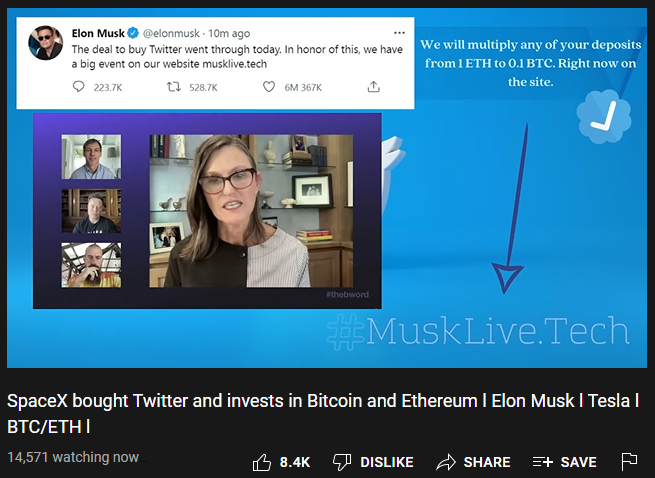
Example of the scam

When running, these streams are very easy to find by just searching for them (Live streams that mention “BTC” or “ETH”. You’ll either end up with streams displaying charts of the values compared with other crypto assets, or scam streams.

The scam streams take a variety of different forms, but not of them make use of pre-recorded videos of conversations with folks such as Elon Musk talking about cryptocurrencies, while also promoting a website such as MuskLiveNow.Tech (I made this one up) which claims to be running a giveaway event.

Screenshot of a crypto scan on YouTube from April 2022

Read more

Sailing: Month 1

I’m writing a lot of content over on sailinghannahpenn.co.uk, and I want to share some of that here, linking to most of the posts and adding a little more.

We actually wrote most of the initial blog posts in Month 1, as we had already set off before creating the blog. I’m looking forward to being able to look back on the blog in the future.

I tried writing a diary while driving my old van through Europe, but I stopped halfway through. These blogs feel like something I can continue.

Month 1 covers the initial splash of the boat after having lots of work down, all the way through to the day before the Biscay crossing (day 1 to day 31)

Read more

A digital nomad boat experience

I have always been somewhat of a digital nomad in my working life, an opportunity that mainly exists due to my very flexible job as a software engineer at Wikimedia Germany.

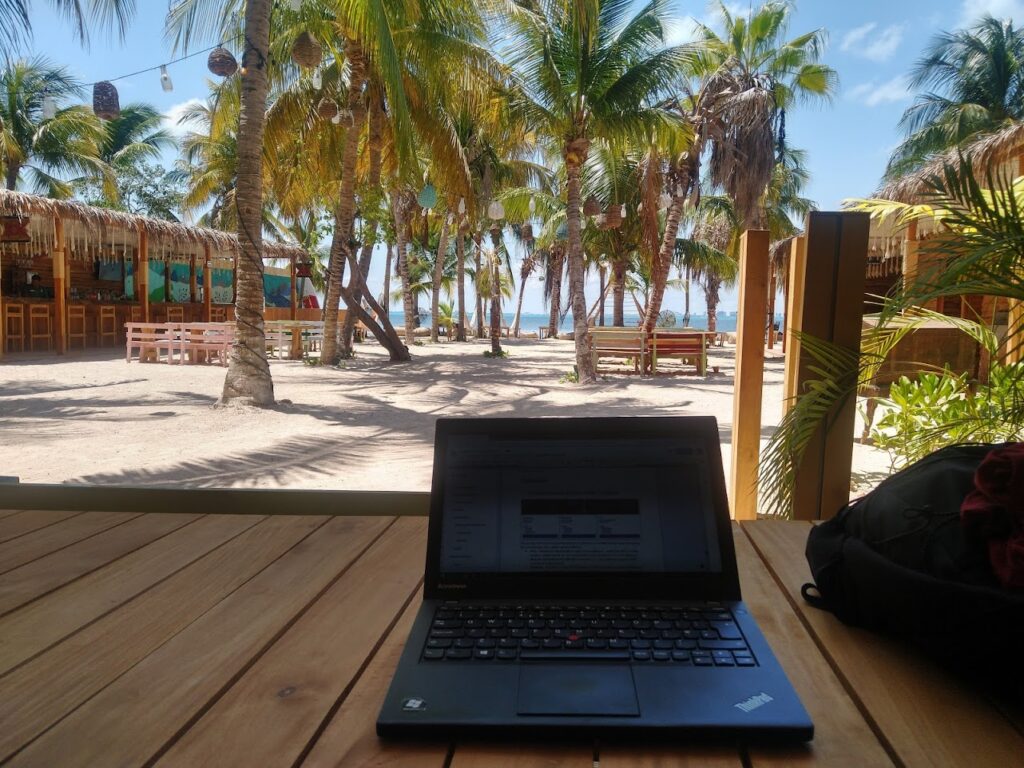
Working in Isla Mujeres, Quintana Roo, Mexico 2019

Over the years I have been primarily based in the UK but have travelled with work to California, South Africa, Israel and many places in Europe, among others.

As well as these work trips, I managed an extended vacation in 2019 through Central America where I worked around 10 hours per week, as well as other hops to Portugal etc.

This is the part that I find myself attempting now again in 2022. But rather than Central America, it will be “the world” on a boat, with slightly less regular mobile data connection.

On previous trips, I didn’t really blog much, at least not about the travel. The one post I have from around 6 months in Central America was a post detailing travel between 2 places. And for work trips, if I blog I focus on the work aspects, such as this post on the Lyon Wikimedia Hackathon. I want that to change with this sailing adventure.

In fact, as I write this I am in the middle of the bay of Biscay, and I just listened to Between the Brackets episode 117 where Yaron and Brian mentioned my little adventure. (Partly the reason I decided to write this post). So here are some more details about the plan.

For more sailing details and to follow along, you might also want to check out sailinghannahpenn.co.uk where there will be more sailing content this year. There are already posts covering the first 50+ days of sailing!

Read more