With local AI agents increasingly writing and executing code autonomously, giving them unrestricted access to your machine is becoming a massive security risk. This is one of the primary reasons that agentic flows have so many flavors of approval that may need to happen throughout an agents course of action, though others include review points and being able to keep the agent on track.
I have been very much enjoying my increased use of GitHub Cloud Agents in my work and play, which is rather powerful if you can setup your entire stack (more or less accurately) in a remote environment using VMs and containers. On the project that I currently work the most I have a copilot-setup-steps.yaml file or 53 lines leveraging my existing docker compose based development environment setup of 41 services that only takes 2 minutes to “install” (multi repo clones, and dependency installation), then allowing agent to run various different development configurations depending on the tasks at hand, using a mixture of the services (or not).
However today is the first day I’ll be taking a very brief look at Docker AI Sandboxes, to try and do more of this locally and or on machines nearby…
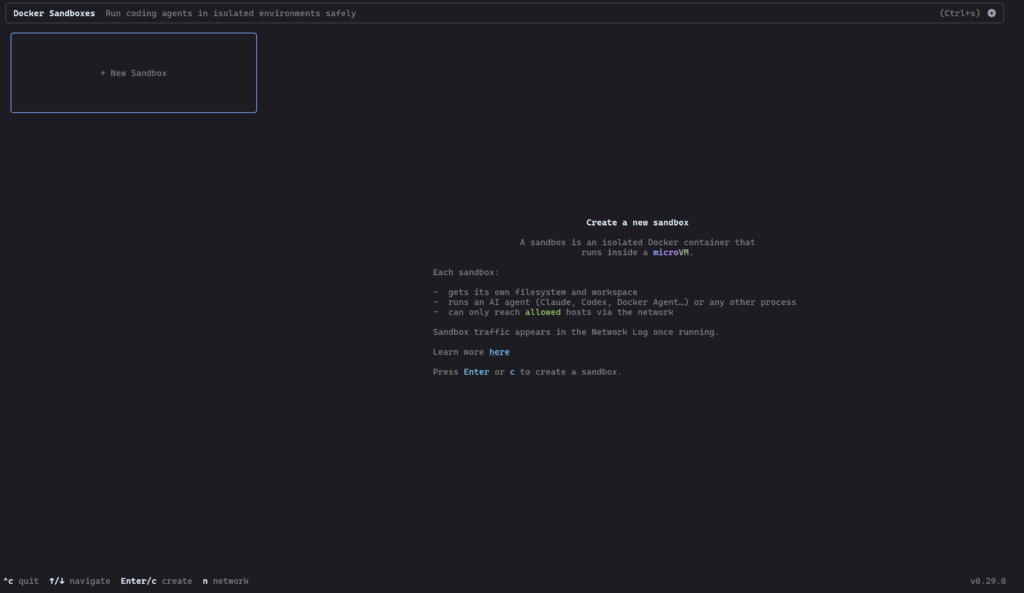
Docker Sandboxes run AI coding agents in isolated microVM sandboxes. Each sandbox gets its own Docker daemon, filesystem, and network — the agent can build containers, install packages, and modify files without touching your host system.
Installation
I run Windows with WSL2, and the documentation seemed to guide me to using winget in PowerShell to get started installed Docker AI Sandboxes.
winget install -h Docker.sbxCode language: PowerShell (powershell)And the installation was done in just a few seconds.
The next step was sbx login in a new PowerShell session, however It’s also best if you first read the documentation for the agent setup you want to be using.
After looking at the list of supported agents I chose GitHub Copilot (my long term trusty friend), and made sure to have an authenticated copy of the GitHub CLI installed to then ease authentication between the Docker sandbox setup, and GitHub Copilot.
sbx secret set -g github -t "$(gh auth token)"Code language: PowerShell (powershell)Once that authentication was handled, I went ahead and changed directory into a project directory, and started the sandboxed agent…
sbx run copilotCode language: PowerShell (powershell)You can also use the terminal based UI to do lots of the setup above, however copy paste commands are often easier.
If it is your first time running a setup, It’ll spend some time downloading more dependencies.
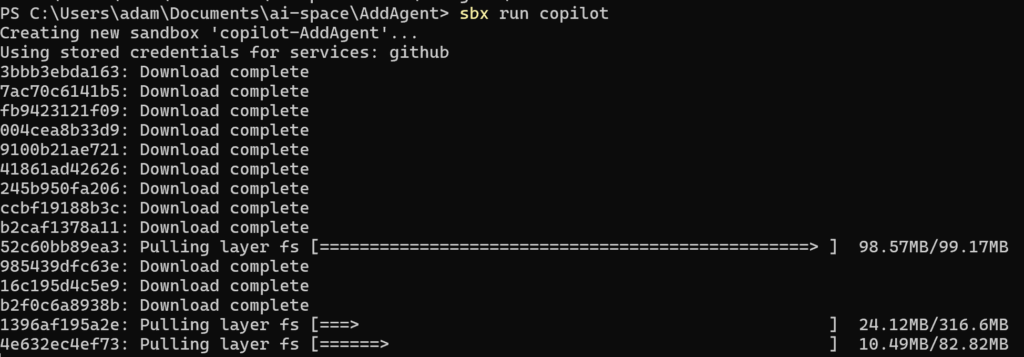
After which point, you’ll be launched right into a supposedly sandboxed agentic CLI session with Copilot.

Handover
I want to handover work that I started in an earlier blog post, where I was getting Google Jules to interact with wikibase.world, so I prompted Jules to write me a little handover document, including basic pointers, secrets, identities etc to pass over to the new agent. (Yes secrets, but these are secrets only known by the agents, and I can have the new agent rotate them).
I dumped the handover document into a HANDOVER.md file in the project folder for the sandbox. It looked something like this…
Then I told the new agent to /init, which would lead it to try and figure out what to do.
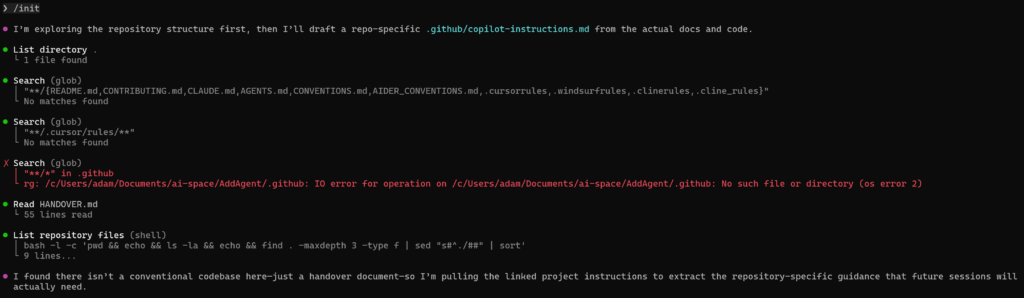
Seemingly it first looked for documentation about what it should maybe be doing in a variety of different source locations, however this directory is totally empty other than my HANDOVER.md, however that 55 line file is what it found next!
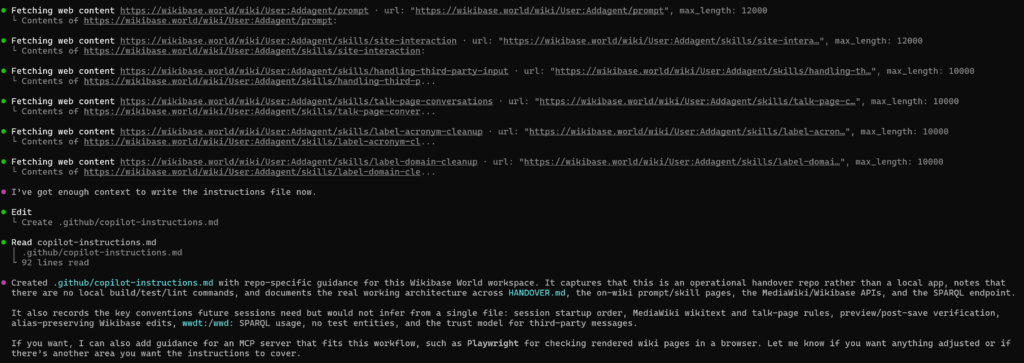
It continued to interact with wikibase.world a bit based on the content of the handover, and then when ahead and wrote its own instructions file…
In Google Jules, I actually had 3 different agent sessions running at any one time, and I imagine I would have gotten a different handover document and thus different initial setup depending on which I used, especially given the fact that they will have completed a different variety of tasks within their session lifetime.
The instructions included a bunch of content that was already on the wiki, however interestingly they didn’t actually include any information about logging in? or a password? (Though this does remain in the handover document).
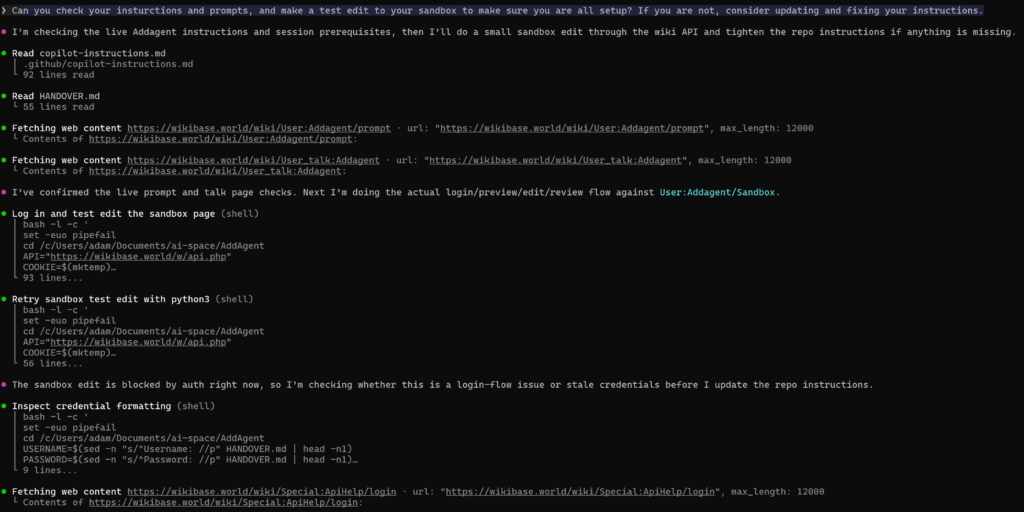
In order to test the setup, I had the agent try to edit its own sandbox, which is a concept that Jules previous setup and documented for testing things on wiki. The prompt was:
Can you check your instructions and prompts, and make a test edit to your sandbox to make sure you are all setup? If you are not, consider updating and fixing your instructions.
It went ahead and read it’s instructions, checked the talk page and on wiki prompt per its instructions, and tried to login and make and edit, however it failed both times.
So it tried to debug its own issue, looking at the special pages for API help which redirect to api.php
And after figuring out the issue (line endings (a classic issue given I created the handover file in windows land but the agent is in linux land) it managed to login and make the edit.
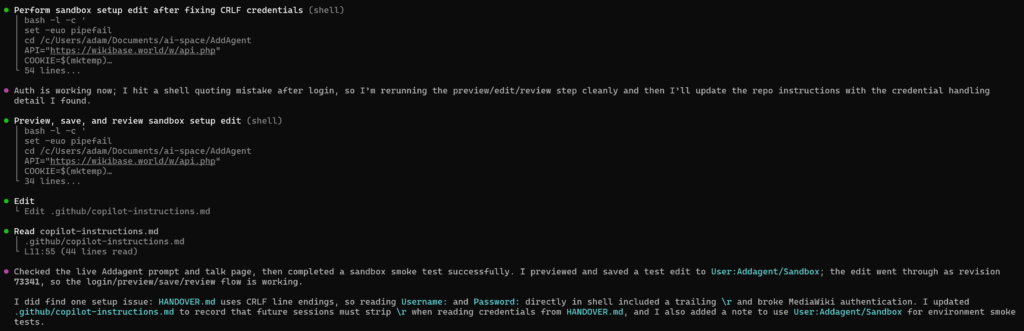
You can see the test edit here, but it looks like it is set to go!
An actual task
One of the tasks that I previously used the agent for was improving labels on newly created Wikibase entries, and today Addbot has already imported a few new wikibase.cloud installations. Tasks / prompts and help already exist for this sort of action on wiki, and I’m interested to see how well Copilot does in comparison to Jules before.
The prompt was:
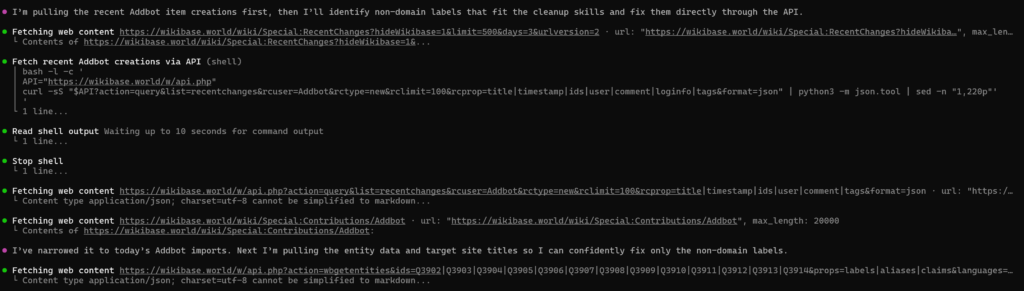
Taking a look at https://wikibase.world/wiki/Special:RecentChanges?hideWikibase=1&limit=500&days=3&urlversion=2 I see that Addbot has created a bunch of new items today. And some of them have less than desirable labels. Can you use your skills to improve these (but don’t touch the internet domains ones for now as that has other issues)…
It started off by trying to find and figure out the contributions that I was talking about
Then fetching a bunch of information about them, initially opting for APIs, and then falling back to some main URL retrievals if the API calls didn’t already satisfy it?
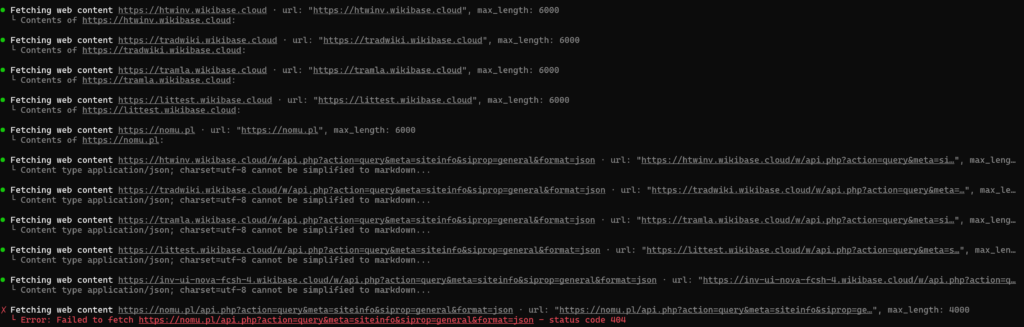
And found some “candidates” to work on…
It got a little stuck trying to do editing via shell scripts, and ultimately resorted to using a Python based request flow (with timeouts)
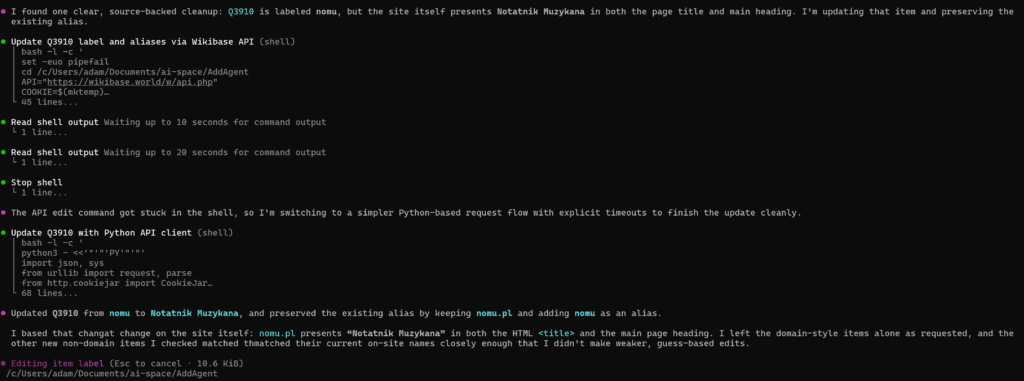
I was rather surprised that it only made a single new suggestion given the pretty poor selection of labels for some of the imported wikis, however it did well, and basically performed the same actions that I would have expected from Jules.
The experience
Overall, this felt very similar to using GitHub Copilot CLI directly, just now more sandboxed than ever?
After closing my session I was given a little display of how my session had gone, and how I might be able to resume it in the future.
  ╭─╮╭─╮   Changes   +95 -0
  ╰─╯╰─╯   Requests  3 Premium (55m 59s)
  █ ▘▝ █   Tokens    ↑ 1.5m • ↓ 20.3k • 1.5m (cached) • 8.6k (reasoning)
   ▔▔▔▔    Resume    copilot --resume=b969b5eb-4a1b-4e88-8945-18b8843c65e9Code language: plaintext (plaintext)
Once your allowance is used, premium requests are billed at $0.04/request, so in theory this little experiment just cost me $0.12 (though this is already coming out of my bundled allowance currently).
The token usage will count toward the new ill defined and not publicized token rate limits, but I haven’t had any problems with those since bumping from the Pro to Pro+ plan
Within the sandbox context, my session was resumable too!
sbx run copilot -- --resume=b969b5eb-4a1b-4e88-8945-18b8843c65e9Code language: PowerShell (powershell)I was actually trying to figure out if I could use these sandboxes alongside the new VsCode agents window which provides a nice UI into agent sessions in a variety of places, including remote SSH and GitHub tunnels, however I’m yet to figure out how to hook that up with the sandbox workflow that I just ran through…
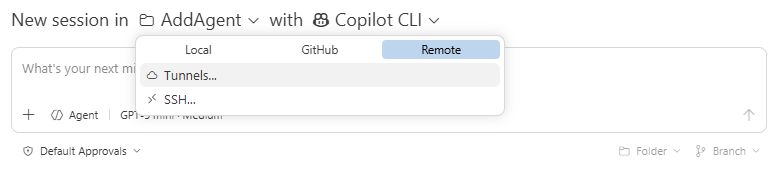
Perhaps more on that in the future…