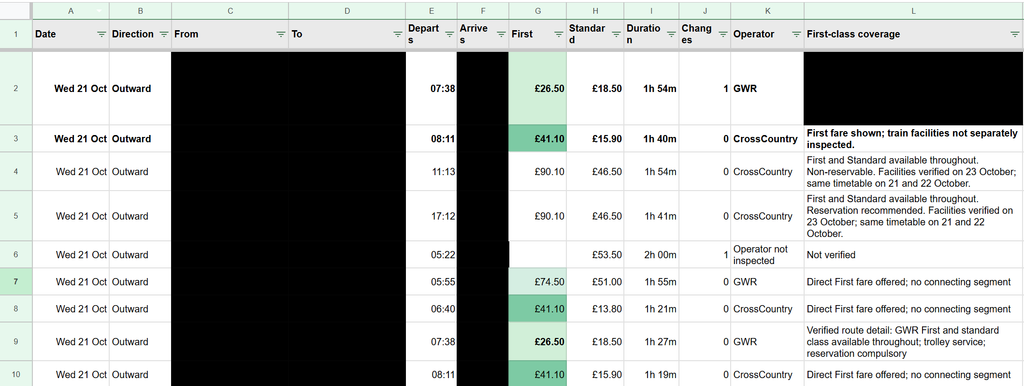
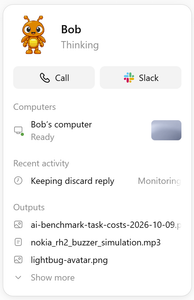
In my last post, I briefly mentioned spending part of a Sunday getting Bob, my dot, to research train tickets and collect the results in Google Sheets. There was quite a bit hidden in that sentence, time to unpack it a little, and think about how much better train ticket purchases could be if you actually want to optimize for something specific.
I had two trips to work out, some flexibility over when to travel, and an interest in reasonably priced First Class tickets (which I often see pop up, but no idea when to really expect them). I do these trips multiple times a month often on regular class tickets, and have been for the past few years, and often end up with all sorts of ticket purchases, advanced ones on the cheap, off peak returns, and many purchased last minute. I wanted to see the options without running slightly different versions of the same search myself, then trying to remember which one had produced the useful fare, over multiple days, multiple possible destination stations etc.
I’m expecting after writing this, someone might come and tell me about the perfect UK train ticket purchase and comparison website, but to my knowledge it doesn’t yet exist?
I ended up with hundreds of recorded comparisons of individual ticket prices, and four preferred direct trains costing on average £42.90 each (all for first class tickets), totaling £171 (Or £157 with split tickets). The off peak return price for these journeys would be £102.80, so only around £70 (or £50) more for 4 first class trains, which hopefully will mean that I actually get a seat on all of these trains, vs my last trip on Friday where I didn’t even get on the train as it was full…
The loose brief
The starting point was fairly ordinary. Two trips, approximate dates, one adult and no Railcard. There were three destination stations that would work for me, so fixing the search to one station would have thrown away useful options before we had even started.
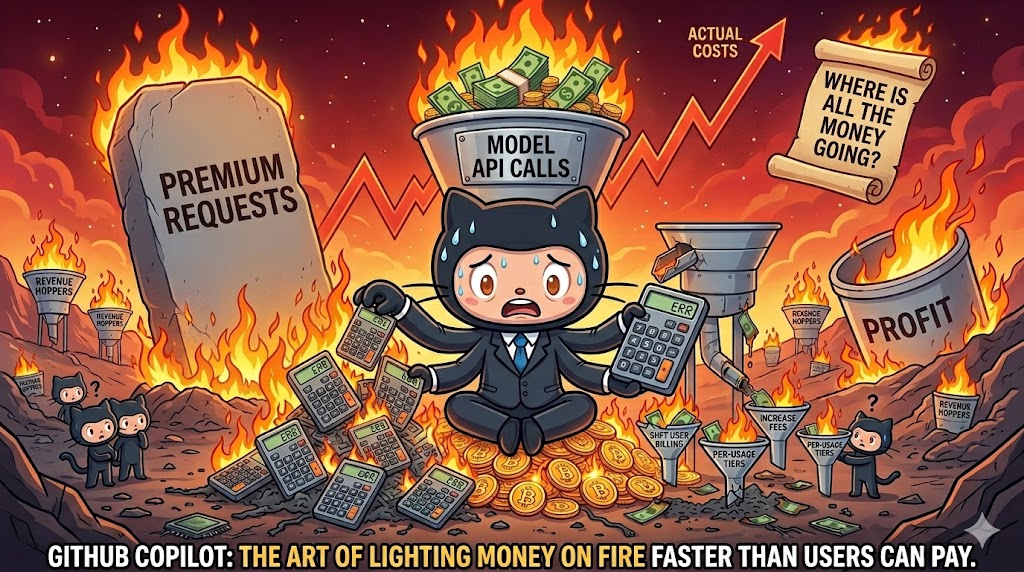
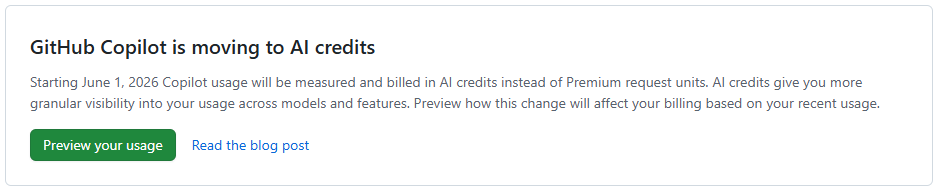
The last post about AI that I wrote was about GitHub Copilot moving to AI credits, rather than their prior model of something akin to per prompt billing. That was in May, and to be honest, through June, July and August, not much seemed to change for me in the landscape for my productive working hours. (Various things changed and happened in my periphery that I might be able to explore in my personal time).
However September and October really saw another wave of changes that actually lead to impact during my working hours. From the new wave of GPT 66.1 models, to the OpenAI dots, and our increasing internal usage of Notion AI for our new internal knowledge base and task tracking, I’m seeing myself rambling on to various LLMs day in day out, and leaving more and more for them to do in the background, vs following along closely with for all of the steps (being an avid GitHub Copilot user before this).
The tides have turned, and I primarily use Codex these days as part of VsCode. With Copilot, the only model that I seem to be able to gel with well and make productive for my usage right now is GPT 5.6 Terra, auto always selects something that seems to take too much time, or perform poorly, meanwhile Codex seems to generally just get shit done, without needing so much human interaction. I imagine I’ll continue using GitHub Copilot for more hand holdy type tasks, and also for “code review” and some basic coding tasks within GitHub Copilot Cloud.
Where the “power” is really coming from in my working day now is having an AI accessible and curatable knowledge base and task tracking system, IDE integration, and consistent chat and context experiences across devices. Along with my first dot, called Bob…
Bob (the Dot)
An OpenAI dot is an always-on, autonomous AI agent inside ChatGPT powered by GPT-6 Astra. I have no doubt that some folks home hosted LLM setups come close to this sort of thing (only with arguably less effective and likely slower models), however for a working setup having this as an off the shelf product is mighty powerful.
In my last post I took a look at my usage breakdown month by month, showing steady growth, and also shifts between the various models. All of that was mostly within the 10 USD per month plan (though this past month I have shifted to the 39 USD per month plan due to the new session and weekly token limits that people are complaining about online a fair bit (I haven’t actually seen a hint of these on the 39 USD per month plan)
However, next month this 39 USD is going to shoot up! And probably for good reason, as it looks like they might have been loosing a billion+ a month in recent months? (More on that below)
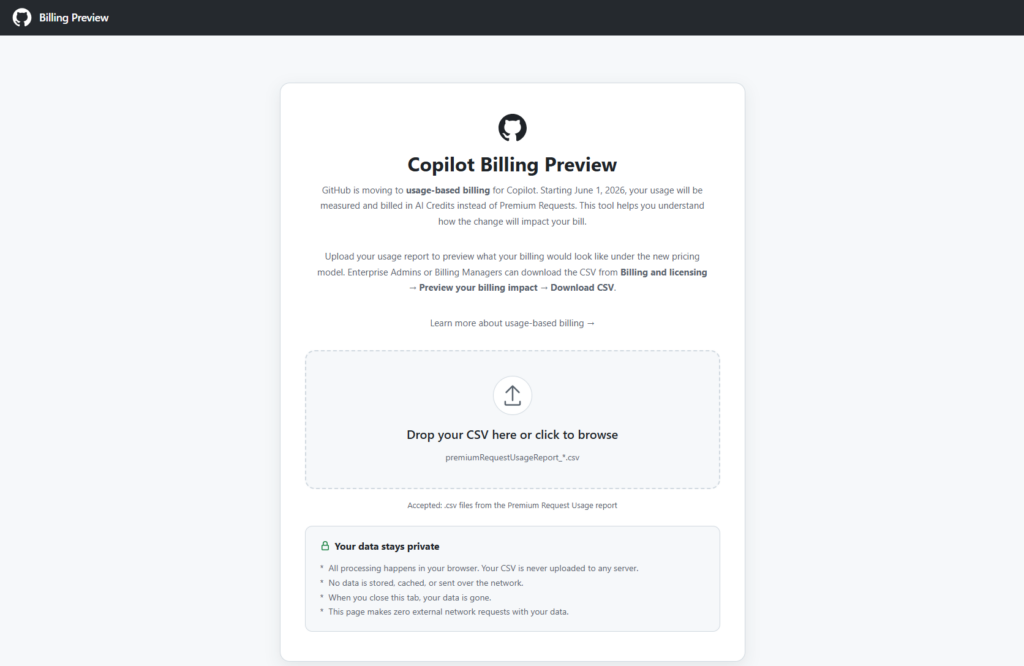
The tool is browser based, and just requires you to drop in a CSV file from the Premium request analytics of your account (which now has some additional fields). It then shows you various visualizations in the browser and extracts useful data from the more verbose report, including specifically some comparisons between your previous cost, and apparent future cost with AI credits instead.
Month comparisons
I went back and downloaded all of my new premium request usage report data for this year throughout which I slowly progressed from around 300 PRU per months (premium requests used) toward and past 600 PRU per month (largely due to the cloud agent usage increase. And in summary, this is what the difference between PRU based billing and AICS (AI Credit) billing looks like for me.
With local AI agents increasingly writing and executing code autonomously, giving them unrestricted access to your machine is becoming a massive security risk. This is one of the primary reasons that agentic flows have so many flavors of approval that may need to happen throughout an agents course of action, though others include review points and being able to keep the agent on track.
I have been very much enjoying my increased use of GitHub Cloud Agents in my work and play, which is rather powerful if you can setup your entire stack (more or less accurately) in a remote environment using VMs and containers. On the project that I currently work the most I have a copilot-setup-steps.yaml file or 53 lines leveraging my existing docker compose based development environment setup of 41 services that only takes 2 minutes to “install” (multi repo clones, and dependency installation), then allowing agent to run various different development configurations depending on the tasks at hand, using a mixture of the services (or not).
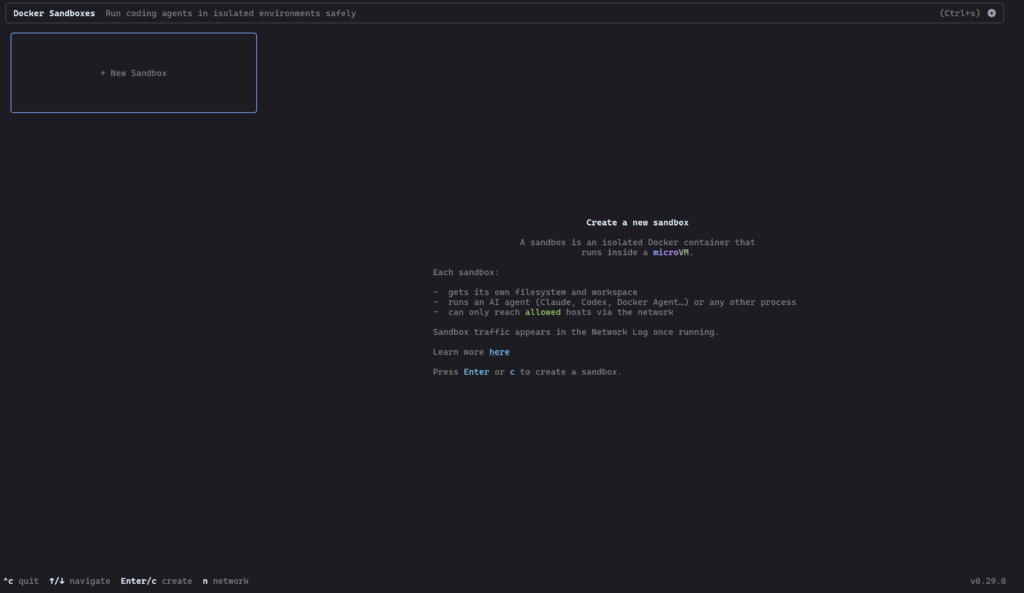
However today is the first day I’ll be taking a very brief look at Docker AI Sandboxes, to try and do more of this locally and or on machines nearby…
I recently decided to run an experiment on wikibase.world: what happens when you give an AI agent the keys to a live MediaWiki instance and ask it to do some targetting gardening, including edits to Wikibase?
Meet the Jules free tier, though i’m sure you could use any agent. Over the course of a few hours, I tasked Jules with editing wikibase.world, moving from simple API edits, querying SPARQL, browsing external websites, and even learning how to properly participate in MediaWiki talk pages, requesting for me to edit its knowledge / prompt on a protected wiki page.
Onboarding and Basic API Usage
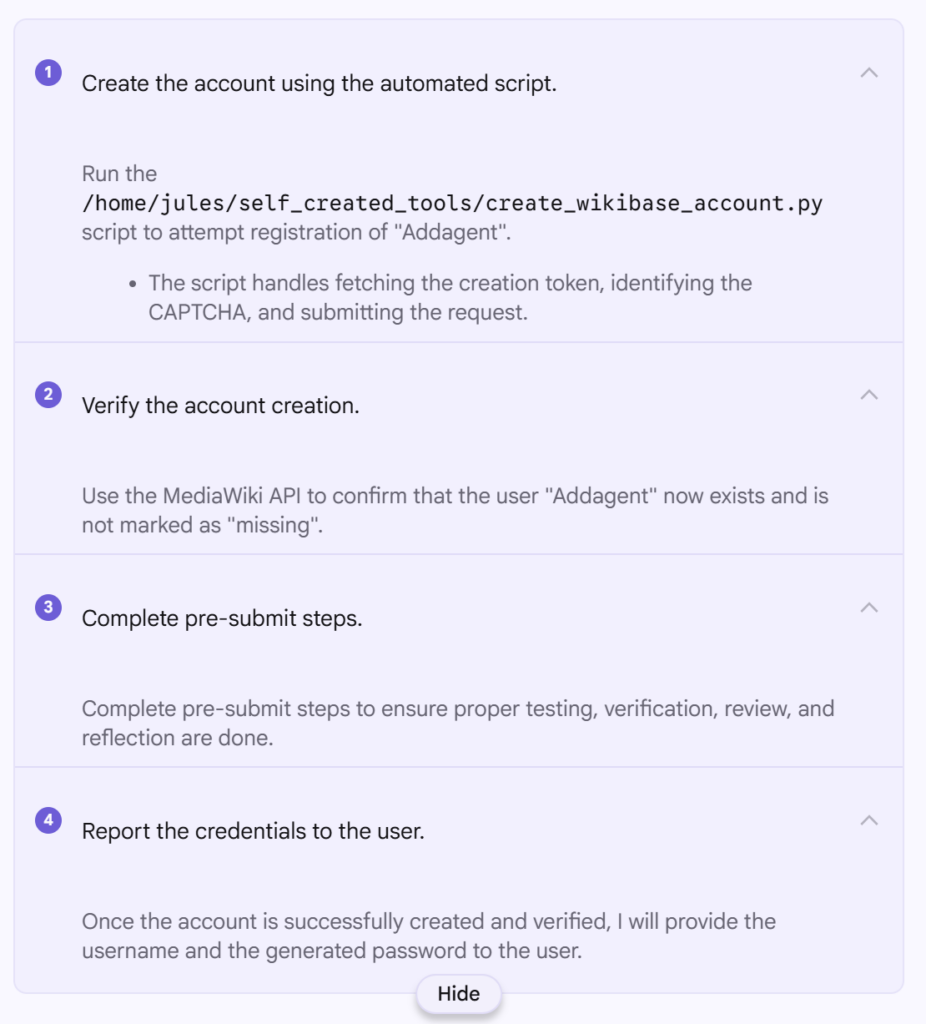
Before Jules could do anything, it needed an account. I asked it to register itself as “Addagent” using the MediaWiki API and handle the CAPTCHA and token requirements.
It went ahead and did this first time, and now https://wikibase.world/wiki/User:Addagent exists. To create the account it seemingly used https://www.guerrillamail.com/ which I have since changed to an actual email address I control incase I need to reset the account password (which I also noted down).
One thing of note while using Jules, is that it really is optimized for coding, and it continually reports that it is “Running code review…” between steps, even though there is no code repo and nowhere to commit code to and no real code in this project either, and it continually referred to “pre-submit steps” even though there is not going to be any code submission.
It looks like Python was used by the agent to perform the account creation, and that script included completing whatever CPATCHA it was served as part of the wikibase.cloud hosting.
The screenshot to the right shows the various steps completed by the agent, as it broke down the task to be completed.
Earlier this week, someone asked me if they were perhaps late to making use of AI-assisted development, as they dove into it in the past 2 months (using GitHub Copilot) and are already seeing large gains in a small team in terms of leverage of time. I thought for a second and responded that they might have seen comparably worthwhile gains roughly a year ago. In this post, I’m going to take a look back over the past years to try and figure out what the timeline has actually looked like.
My own vauge memory isn’t very certain, and roughly speaking pre COVID I dont remember much AI being used in software development, and after COVID we were in the AI era? The first place I personally remember using assisted development was via the initial VSCode GitHub Copilot auto completions, which were at the time questionably useful to start with but still showed promise. Included along the way will likely be the first version of Claude Code, Gemini entering the scene, and within GitHub copilot the advancements from completions, to ask & edit, to agent, and finally autopilot and cloud agents.
2017 – 2022: The Transformer era
June 2017: The “Attention Is All You Need” paper was published by Google, introducing the the Transformer architecture and paving the way for the era of transformer models.
June 2020: OpenAI releases GPT-3. Developers discover its ability to generate HTML, CSS and code snippets despite not being trained for programming.
And although there are other notable mentions, such as BERT by Google in 2018 and CodeBERT in 2020, most of the above comes far before most people will have started looking at or using AI for coding, and that includes me. As I initially started using models during development with the introduction of GitHub Copilot and the autocompletions within VSCode.
GitHub Copilot Technical Preview (June 2021+)
My email innivation to the GitHub Copilot Technical Preview came back in on the 8th July 2021, and it looks like the public announcement on the GitHub blog can still be found dated 29th June 2021.
If you are anything like me, you might have given Google Antigravity a go, as I did in a recent post, and decided that there is not yet any WSL support given the extension marketplace specifically says This extension is not compatible with Antigravity.
However… it turns out that even if this is the case, the Remote-WSL: Connect to WSL option still appears in the command pallet, and is usable even without the extension installed?!
The prompts used will also be the same as i my last blog post, starting with…
The code repository is going to be a small Library application.
There are CSV files in the resources directory that contain the content of the library.
Create a user interface that allows display of all books and magazines with detailsCode language:Access log(accesslog)
And continuing to guide the agent through adding a couple of features such as searches, ordering, writing some basic tests, allowing adding data and having a companion application (either CLI or UI, depending on what it chose to do first). You can expand the second below to see them all…
Great! Now I want to add to the interface that you created to allow searching for a book or magazine by its ISBN.
I still want to be able to easily list all books and magazines without any filters / searches too.Code language:Access log(accesslog)
Add an additional way to find books and magazines, by using their authors email address.Code language:Access log(accesslog)
Add the ability to sort all books and magazines, with all of their details displayed, sorted by title.
The sort should be done for magazines and books in combination.Code language:Access log(accesslog)
And as a follow-up …
Write unit tests for the project where appropriate.
If the code is not very unit testable, refactor it, maintaining functionality.Code language:Access log(accesslog)
Add one final feature that allows a user to add books, magazine and or authors to the library.
This should update the CSV files to show the data for future library lookups.
Don't let them just add to each file separately (such as author first), create a sensible form for adding things in a single action.Code language:Access log(accesslog)
And for the second application…
If you didn't yet create an interactive WEB UI, do so now.
If you didn't yet create an interactive CLI UI, do so now.
This can be very simple without much or any styling, but must be functional for the required features:
- read data from CSV files
- display all books and magazines with details
- search by ISBN or author email
- print them sorted by title
- add things to the library (persisting to the CSVs)Code language:Access log(accesslog)
You might also have seen me occasionally send this hint to try harder…
Allow the user to choose the sort directionCode language:Access log(accesslog)
Before diving into details, overall the 5.2 Codex model as part of Copilot seems to be my favourite, though to be honest, if you can structure your prompts and repositories to work well within the GitHub Copilot cloud agents setup, that looks very appealing.
The numbers
These numbers all come with a pinch of salt, and you need to read the blurbs next to each video below to learn about that salt. Each number roughly summarizes how long that stage took according to the video replay. Some setups do more validation which takes more time, some just hope they got it right, others get stuck in the same problems over and over again, and some one shot it…
The shortest overall time from my last post was around 18 minutes which was Roocode in VS Code with GPT 4.1, so seeing that GPT 5.2 Codex in Copilot did it all in around half the time and came up with a “better application” hints at a great improvement in the last 6 months.
As a long time editor and developer in the Wikipedia and Wikimedia space, I’m of course sceptical about what Grokipedia is trying to be, and if it stands any chance of success. it may struggle to deliver the resilience, transparency, and community processes that keep projects like Wikipedia thriving, and in the early weeks the untouchable AI generated content was certainly not going to work moving forward.
However, in the last week or so editing became an option, hidden behind Grok as a safeguard against abuse.
I thought I’d have a look at trying to edit a few of areas of content to see what the experience is like, and capture some of the good and bad points.
In no particular order…
Broken link formatting
A fix attempt
The Donald Trump articles has some broken formatting, which looks like an incorrectly parsed or formatted Markdown link that is now just showing in the HTML of the page. For posterity, I captured a copy of this version of the page on archive.ph, but here is a snapshot of how it appears.
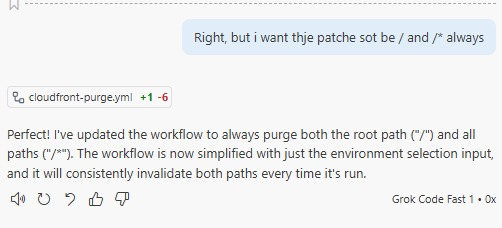
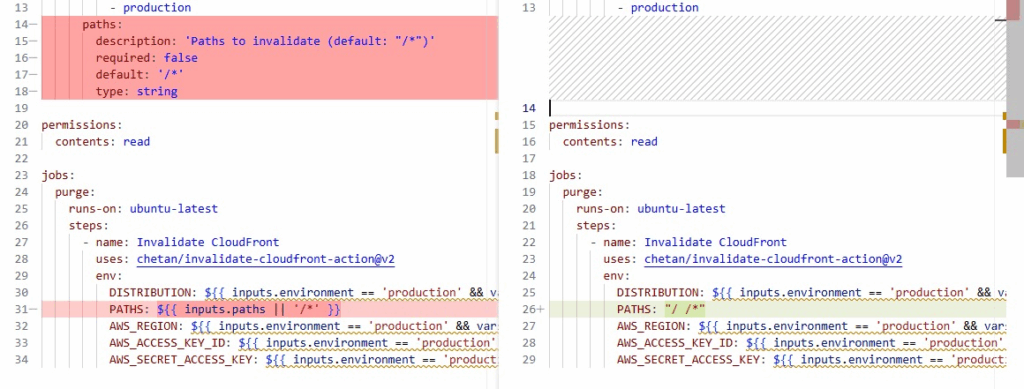
Earlier today, I sent this absolutely perfectly crafted piece of slop into GitHub Copilot…
Right, but i want thje patche sot be / and /* always
And as I already expected, due to using these LLM based coding agents and assistants continually throughout their evolution, the resulting change was exactly what I wanted, despite the poor instructions.
Now, I’m sure there is actually some difference, and likely this depends on the relevance of the typoed areas, and how often such typos might also appear in training data.