Introducing Overlap Atlas! Very similar to another little web app that I made a few weeks ago, making use of Android timeline data and Spotify data, I now have another little web app for visualizing overlaps of 2 peoples timeline data (or lack of overlaps).
You can load one or more Google Timeline exports into the app and assign them to specific people. Just like the last project, your uploaded data stays securely in your browser. Once your files are loaded, you can draw geofences to outline areas to look at and split out.
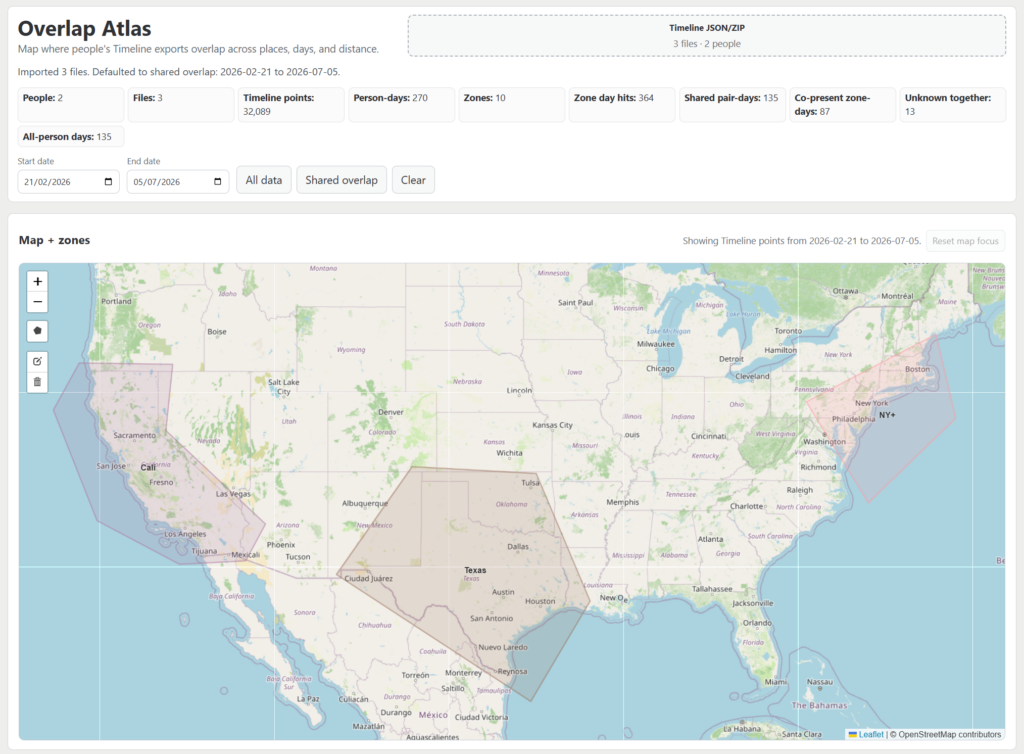
From there, you get multiple visualizations for where people have been, and when and where overlaps happen:
- Zone Analysis: See how many days each person spends in an area, and how often you were in the same zone within a given time window (like 6, 12, or 24 hours). It even calculates when you were close together in an unknown place outside your drawn zones.
- Distance Comparison: A broad, day-by-day comparison that categorizes how close you were, ranging from the “same place” out to “very far”.
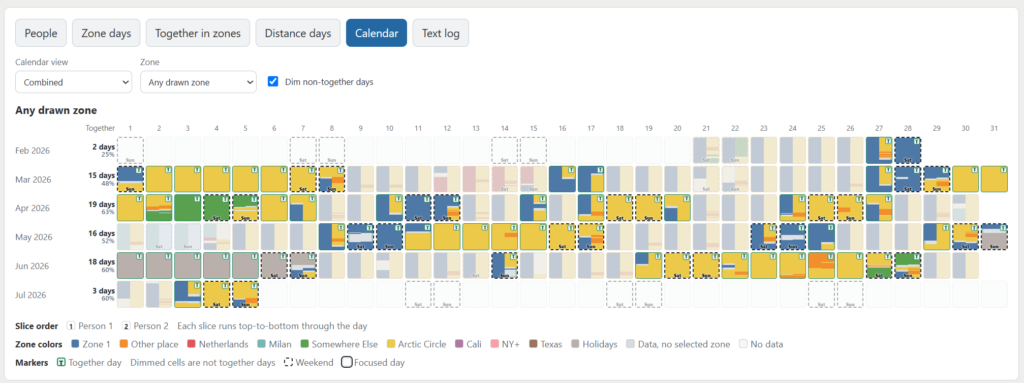
- Calendar View: Once you have drawn a bunch of different areas onto the map, the calendar is by far my favourite visualization. You can clearly see overlap days, weeks and weekends being highlighted, as well as color being used to show which of the drawn zones the overlap has happened in.
- Text Log: A simple list with one row per day explaining exactly how each day was evaluated.
The calendar view is by far my favourite.
Below you can clearly see overlap days, weeks and weekends being highlighted, as well as color being used to should which of the drawn zones the overlap has happened in. So lots of overlap in the yellow zone labeled “Arctic Circle” normally for around a week, and a fair few weekend overlaps in the blue “Zone 1”.
If you and a friend have your Google Timeline data sitting around, give it a go. The Android data needs to be downloaded on your phone (Settings > Location > Location services > Timeline > Export timeline data), then load it up and see what it looks like.
You can find the code on GitHub, and the app is hosted on Cloudflare pages.