Easy WSL Windows path switching alias

I have been primarily developing on WSL for some years now, and still love the combination in terms of all around flexibility. When primarily working on Linux based or focused applications, everything is lovely! However, I’m spending more time straying into the land of hardware, USB devices, and custom IDEs and debug interfaces that are … Read more

WSL2 COM port pass-through with usbipd (firewall issues)

I’ll start by saying that ultimately you want to read and follow the Connecting USB devices documentation for WSL.

However, a few things cropped up along the way that I think might be worth writing down for future me, and others.

Requirements

Firstly, you need to be on WSL2.

Next, install the USBIPD-WIN program.

winget install --interactive --exact dorssel.usbipd-winCode language: CSS (css)

Listing devices

In windows cmd or powershell, you can use usbipd list to list all devices. This should line up with what you see in Windows device manager if you open it.

Read more

See all Windows 11 network data usage

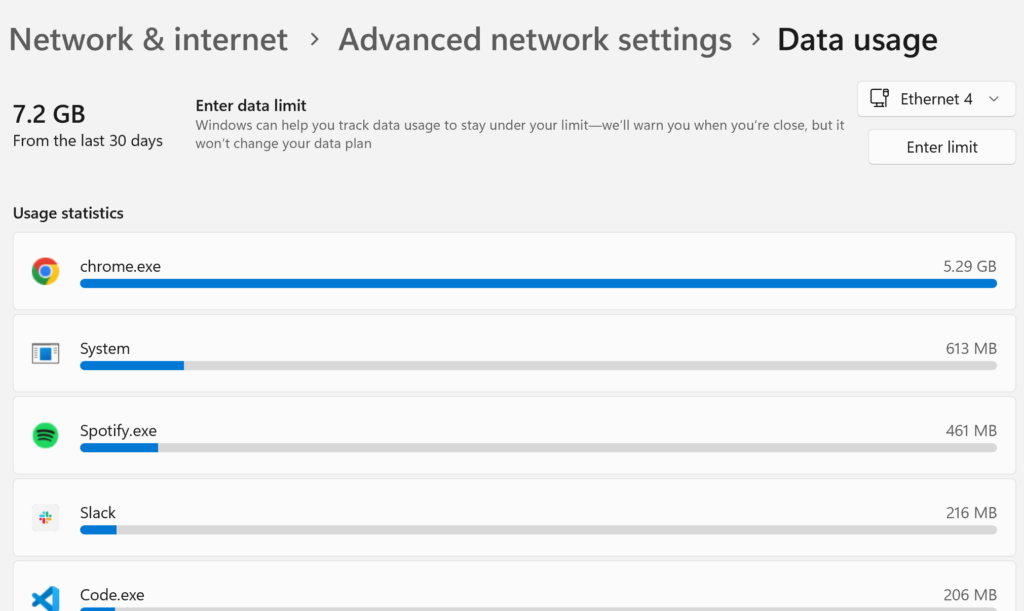
Windows 11 (and possibly previous versions of windows) have a data usage view built into the advanced network settings view.

This feature allows users to monitor and manage their data usage on both Wi-Fi and wired connections, and I assume also data connections if your device can be connected via a SIM.

The Data usage page only allows you to see the current usage of networks that you are connected to, and doesn’t allow you to get a view of the whole picture.

For example, my current “Ethernet 4” usage is 7.2GB in the last 30 days, and the current Wi-Fi network that I am on has 97.1GB usage in the last 30 days.

However, I spend lots of time on other networks, and would love to know my overall data usage in the past 30 days.

Where is the data?

I figured all of the data was stored somewhere on disk, the real questions was where.

After a fair bit of googling I came accros “SRUM” or “System Resource Usage Monitor”, and “SRUDB.dat” referenced quite a lot:

Read more

Windows 11 OpenSSH agent to WSL2

I briefly touched on my OpenSSH agent to WSL2 solution back in 2021. Today find myself setting up a new Windows 11 laptop and running into a couple of different issues, and ultimately using a slightly different solution than before, so here is the short writeup glossing over the areas that lead me to get a little stuck, and hopefully outlining a good set of commands.

In my old .bashrc file, I found a comment linking me to the rupor-github/wsl-ssh-agent GitHub repository which was my first set of reading, specifically the WSL2 compatibility section. The main sticking issue for me out of the box was a miss match in the OpenSSH version between Windows and WSL2, with Windows starting on 8.6 but WSL2 with Ubuntu starting on 8.9. This lead to errors such as:

  • Error connecting to agent: No such file or directory
  • error fetching identities: invalid format
  • Could not open a connection to your authentication agent.

And more…

Read more

Jetbrains Fleet & WSL: First impressions

It’s no secret that I develop using Windows and WSL. For the past few years, I have also primarily used VSCode as my go-to development environment.

Between 2012 and 2018 I mainly used Jetbrains IntellijJ IDEA, but I found the speed of VSCode (launched in 2015), along with the modern design and vibrate plugin ecosystem, to win me over.

Every now and again I have found myself dipping back into the suite of Jetbrains IDEs, primarily for their high-quality code refactoring tools, nothing that I have seen in the VSCode ecosystem has quite lived up to this functionality.

Jetbrains Fleet was announced in 2021, and was behind a waitlist until this past week. It’s now in public preview!

This is exciting, as it’s advertised as “lightweight” with code processing engines running separately, similar to what is done in VSCode. But also contains their “20 years of experience developing IDEs”, which I hope will maintain the high-quality refactoring tools. Not to mention built-in “distributed” working modes for remote development, thus built-in WSL project integration.

So here is a very first look at using Fleet with a project in WSL2 land.

Read more

Installing Android Studio on WSL2 for Flutter

I’m trying to do some “modern” Android development and want to experiment with Flutter while running Windows, and WSL2 with Ubuntu.

Flutter isn’t as easy to install as some programs, no simple apt-get etc, but instead a collection of binaries distributed by different organizations that all need to be tied together.

To start with, you’ll want to read Installing Flutter 2.0 on WSL2 by Josh Kautz. This can guide you through getting Flutter and also the Android SDK with some copy & paste commands.

This post is inspired by these simple steps there to make this easy for folks to copy for Android Studio.

Read more

Developing on Windows, the WSL life

The Windows developer experience has evolved quite allot in the last 5-10 years. I now spend most of my development life running Windows with WSL2 and using Windows Terminal and winget. So here are a few pointers from my experiences so far.

WSL (WSL2)

WSL2 is what you want! The first version of WSL was a step in a great direction, but had many cons, such as IO performance. It should be fairly easy to install and will provide you a full Linux Kernel accessible from within Windows.

WSL also has access to your Windows filesystem via a mount at /mnt/c. Generally if you are using Linux tooling, you’ll want your file access to remain in the Linux file system. For example, I have almost all of my git repositories checked out in my Linux file system. For the odd repository that I use mainly Windows tooling I leave in Windows land.

Read more

sudo / elevate on Windows 11

Windows has never had a native sudo or elevation feature.

Of course if you write the correct Power Shell commands you can make this happen, but what we really want is convenience.

There are various packages around to help out and various ways to install them.

And in Windows 11 with a new package manager, installing one of them as never been so easy.

Read more

VSCode & PHP XDebug from Localhost, WSL2 and Docker containers

VSCode seems to be one of the up and coming IDEs over the last year. I personally switched from Jetbrains IDEs to VSCode fo most of my development work at some point in 2020.

Apparently up until now I have avoided running the PHP debugger Xdebug. I had to do a little search around to figure out the correct settings for my setup decided to write them down in this handy blog post.

Read more

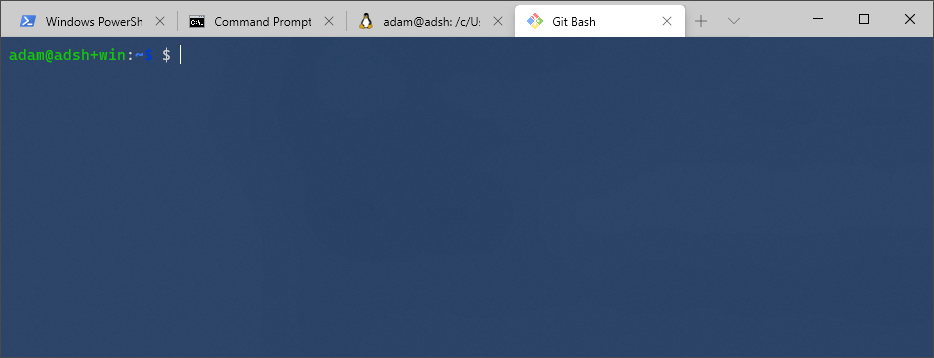
Adding git bash to Windows terminal

I just saw a tweet saying that Windows terminal is now generally available, so I had to give it a try.

After downloading from the store and booting up I realized that only powershell, cmd and wsl are listed by default (and also Azure which I don’t really care about).

Clicking around the UI a little there is a settings menu item that opens a JSON configuration file in notepad. This configuration file defines the behaviours of the terminal including the profiles that can be loaded.

After a bit of searching and documentation reading I came up with this profile which I now use for my git bash installation (I hope it can help you too).

Read more