Windows 11 (and possibly previous versions of windows) have a data usage view built into the advanced network settings view.
This feature allows users to monitor and manage their data usage on both Wi-Fi and wired connections, and I assume also data connections if your device can be connected via a SIM.
The Data usage page only allows you to see the current usage of networks that you are connected to, and doesn’t allow you to get a view of the whole picture.
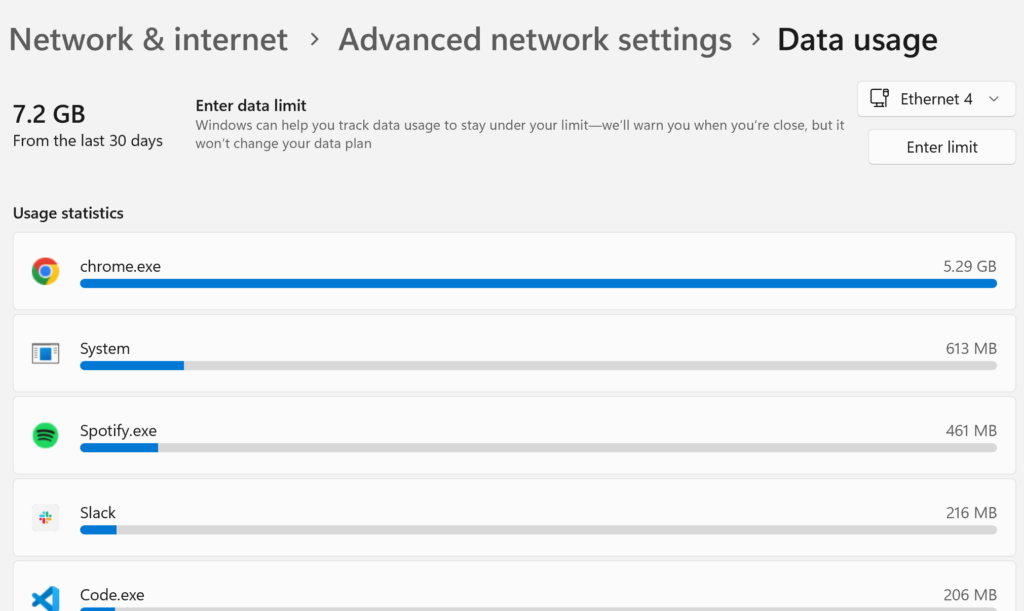
For example, my current “Ethernet 4” usage is 7.2GB in the last 30 days, and the current Wi-Fi network that I am on has 97.1GB usage in the last 30 days.
However, I spend lots of time on other networks, and would love to know my overall data usage in the past 30 days.
Where is the data?
I figured all of the data was stored somewhere on disk, the real questions was where.
After a fair bit of googling I came accros “SRUM” or “System Resource Usage Monitor”, and “SRUDB.dat” referenced quite a lot: